Smart Clipping

How to edit a car photo: Best Tools & Techniques (2025)

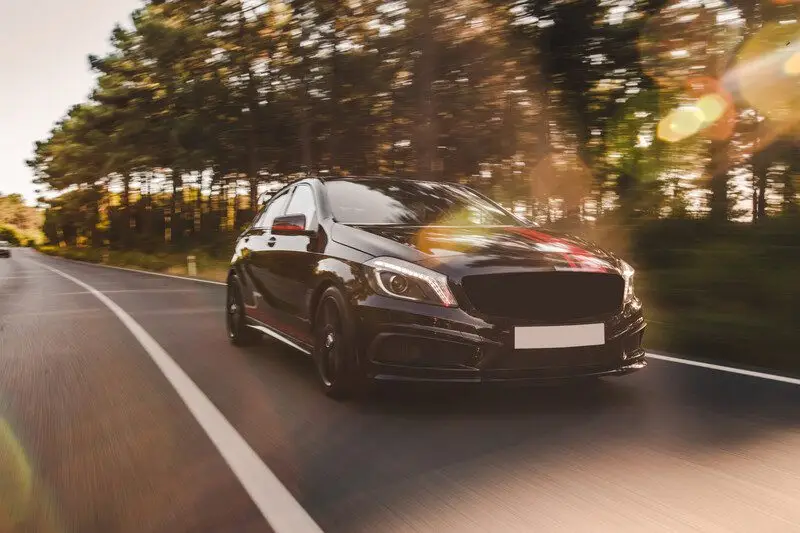
Front-view-black-luxury-sedan-road by Smart Clipping

Want to know how to edit a car photo like a pro? The right editing techniques can make your car images stand out. You can use those eye-catching car images in online listings or portfolios. In this post, I’ll show you everything you need to know about how to edit a car photo.  I will give you the right tools and steps for mastering essential techniques. By the end, you’ll know how to transform any car photo into a polished masterpiece.  Ready to get started? Let’s dive in! Why Car Photo Editing Matters Have you ever noticed how cars in advertisements look flawless? That’s no coincidence.  Edited car photos are essential for businesses like car dealerships or rental services. A polished car photo can enhance a vehicle’s appeal. It can even increase buyer interest. For example, potential buyers are more likely to click on cars that look clean, vibrant, and well-presented while scrolling through online listings.  Imagine a car photo with distracting reflections or poor lighting. It’s not going to leave a good impression. On the other side, a professionally edited photo with a balanced background, sharp details, and vibrant colors can make any car stand out.  If you’re into car photography then you need to understand the benefits of car photo editing. Because it can help you take your photos to the next level. Preparing for Car Photo Editing You need a good photo to work with before you dive into editing. Because starting with a high-quality image is half the battle won. Use Proper Equipment A DSLR camera or a mirrorless camera works best for car photography. These cameras provide sharpness and detail. These are essential when editing.  A tripod helps you maintain stability and proper lighting. Such as natural sunlight or diffused lighting can reduce unwanted shadows. Set Up the Background The background can make or break your car photo. You should choose a clean and simple backdrop to highlight the car.  Parking lots, garages, and open fields are great options. You also need to ensure the lighting matches your desired replacement if you plan to replace the background later. Capture Multiple Angles Take shots from different angles such as close-ups of unique details like wheels or logos. This ensures you have plenty of options when you start editing. For more ideas, check out Tips for Shooting Cars at Night. Best Tools for Car Photo Editing You’ll need the right tools if you’re wondering how to edit a car photo effectively. Here’s a breakdown of some popular editing software: 1. Adobe Photoshop Adobe Photoshop is the top choice for professionals. It’s also great for beginners who are looking for how to edit car photos. It offers advanced features like the Spot Healing Brush for removing blemishes. The Clone Stamp tool is used to fix imperfections, and Adjustment Layers are used to tweak colors.  It has a steep learning curve. It’s also perfect for achieving flawless edits. 2. Adobe Lightroom Adobe Lightroom is a great option if you’re new to editing or just need quick color corrections. It’s also user-friendly and good at adjusting lighting, exposure, and color grading. 3. GIMP GIMP is a free and powerful tool for those on a budget. It doesn’t have all the features of Photoshop, but it’s perfect for basic edits. You can easily do background adjustments and color corrections using this open source image editing software. 4. Canva Canva isn’t a traditional photo editor, but it’s handy for quick edits. It’s a great online image editing tool for resizing car photos. You can also add text overlays for social media posts. Comparison of Tools: Tool Best For Price Adobe Photoshop Advanced editing & retouching $22.99/month Adobe Lightroom Color correction & presets $9.99/month GIMP Free editing with essentials Free Canva Social media-friendly edits Free & Paid Now you know why car photo editing matters and have the tools ready. It’s time to get hands-on.  In the next section, I’ll guide you through a step-by-step process on how to edit a car photo. You will know about cropping, lighting adjustments, and removing imperfections.  Let’s dive into the practical part of car photo editing! Related Links for Inspiration: Step-by-Step Guide: How to Edit a Car Photo Editing a car photo doesn’t have to feel complicated. You can follow the step-by-step guide i shared below. This will help you get a professional car image with the right tools and techniques. Step – 1: Cropping and Framing Cropping and framing are the most important thing for editing car photos. The goal is to remove distractions and highlight the car’s best features. Choose the Right Crop: Start by deciding what you want to focus on the photo. The car should be centered or slightly offset to create a visually pleasing composition for most car photos. You should avoid cropping out essential elements like wheels or mirrors. Common Aspect Ratios for Car Photos: Tools for Precise Cropping: You can use Adobe Photoshop or Lightroom for precise cropping. Canva is also a good option for quick adjustments if you’re working on social media-friendly photos. Pro Tip:  Use the Rule of Thirds grid in your editor to align the car with natural focal points in the frame. For more tips, check out this guide to photo composition. Step – 2: Adjusting Lighting and Colors The lighting and colors of your car photo can completely change how it feels. Correcting exposure and enhancing colors make the car look more vibrant and realistic. Correct Exposure for Car Photo: If the photo is too dark or too bright then use tools like Brightness and Contrast in Photoshop or the Exposure slider in Lightroom. You should go for natural lighting that matches the setting. Enhance Paint Colors in Car Image: Make the car paint pop by increasing saturation and contrast, but don’t overdo it. These tweaks often look more professional. Adjust the Hue slider to refine specific colors. Such as the red of a sports car or the blue of a sedan. Add

13 Amazing Car Background Images For Editing

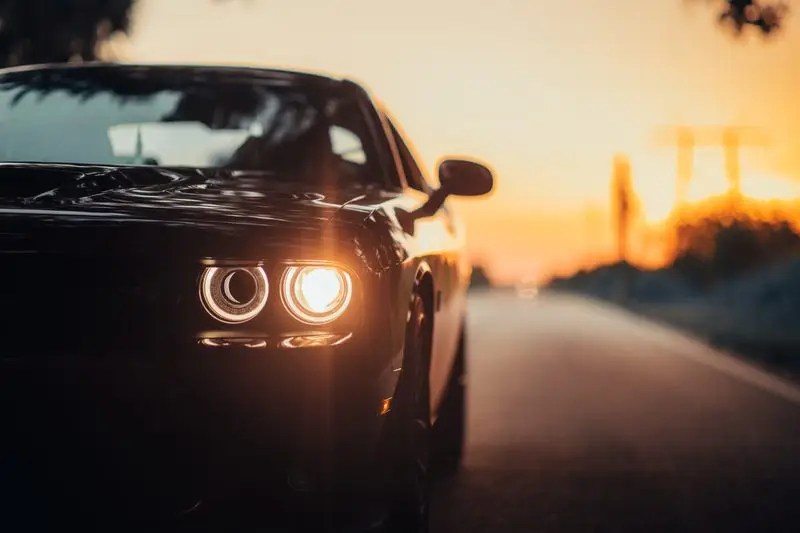
A luxurious car parked on the highway with an illuminated headlight at sunset Amazing-Car-Background-Images-For-Editing by Smart Clipping

The best car background images for editing can take your photos to the next level. They are great for enhancing a professional car shoot or jazzing up a personal project. Because the background you choose plays a huge role in creating stunning visuals.  A car photo isn’t just about the vehicle. It’s also about the story you tell with the scene behind it. In this post, I’ll share 13 amazing car background images for editing that can transform your car photography. I will share sleek cityscapes to rugged landscape backgrounds.  These car image backgrounds are perfect for adding depth and drama to your shots. Let’s explore how the right backdrop can make your car photos look professional. What Are Car Background Images for Editing? Car background images for editing are high-quality pictures or graphics. They are placed behind a car in a photo.  These backgrounds can be real photos, digital designs, or artistic representations that complement the car’s features. They’re essential in car photo editing. Because they add context and help the image look more appealing. Why Car Background Images Matter You can think of car background images as the stage where your car shines as the star. A great background sets the tone for the car photo.  For example, a sports car looks more dynamic against a bustling cityscape. On the other hand an off-road vehicle feels at home in a rugged mountain scene.  You can bring out the best in the car and make your photo stand out by choosing the right background. Benefits of Using Car Background Images Car photo editing isn’t just about the car. It’s about the whole picture. These car background images for editing can turn a simple car photo into something truly eye-catching.  The right background helps you achieve your goals. Now you know why car background images for editing are so important. Let’s explore 13 amazing car backgrounds that can transform your photos! 13 Amazing Car Background Images for Editing 1. Urban Cityscapes Urban cityscapes make fantastic car background images for editing. This can be sleek skyscrapers, busy streets, and modern architecture framing your luxury car photos.  These settings give off a polished and upscale vibe. They are perfect for showcasing high-end vehicles. Best For:  Luxury car promotions or marketing campaigns aimed at an urban audience. Looking to master city-style car edits? Check out how to create stunning urban photo effects in Photoshop. 2. Open Highways Open highways symbolize freedom and adventure. A long and winding road with scenic views can transform your car images into stories of exploration.  These backdrops work beautifully for highlighting speed and performance. Best For:  Road trip-themed edits or showcasing sports cars. Need inspiration for highway-themed edits? Explore 10 best tips for editing car photos on scenic routes. 3. Mountain Landscapes Mountain landscapes add drama and grandeur to car photography. The rugged terrains and snow-capped peaks can emphasize a car’s durability and adventure-readiness. Best For:  Adventure-themed car photography, especially SUVs or off-road models. Want to learn how to blend mountain backdrops seamlessly? Watch this step-by-step guide to nature-themed edits: Photoshop Nature Editing That Makes Your Photos Stand Out! 4. Desert Dunes Golden sands and exotic desert views create a striking contrast against most car designs. These backgrounds highlight strength, endurance, and the ability to conquer tough terrains. Best For:  Off-road vehicles, rugged SUVs, or desert-themed campaigns. Find tips for editing desert-themed images at Adobe’s desert photography tutorials. 5. Industrial Warehouses Industrial warehouses give a raw look to car photos. The textured walls, concrete floors, and urban decay can create the rugged appeal of muscle cars or modified rides. Best For: Muscle cars, street racers, or modified vehicles. Explore more on grunge-style photo editing in this detailed guide to industrial photography. 6. Coastal Views Coastal views are perfect for creating breezy and summer-themed car images. Ocean waves, sandy beaches, and winding coastal roads provide a relaxed and eye-catching background. Best For:  Summer-themed car shoots, convertibles, or beach campaigns. 7. Futuristic Cityscapes Futuristic cityscapes add a cutting-edge vibe to car photos. Neon lights, cyberpunk settings, and advanced city designs are great for highlighting electric cars or modern tech-focused vehicles. Best For:  Electric cars, high-tech vehicles, or futuristic campaigns. Dive deeper into futuristic photo edits with this guide to cyberpunk effects. 8. Rainy City Nights Rainy city nights create a magical atmosphere for car photography. The glowing reflections on wet streets, shimmering lights, and moody tones add a cinematic touch.  These backgrounds make your luxury car edits look high-end and visually stunning. Best For:  High-end luxury vehicles or cinematic photo edits. If you want to enhance your rainy night edits, check out this guide to creating rain effects in Photoshop. 9. Dense Forest Trails Dense forest trails offer a peaceful and natural setting for car photos. Imagine green canopies, winding trails, and serene woods enveloping your vehicle. This backdrop works great for outdoor and adventure-themed vehicles. Best For:  SUVs, Jeeps, or outdoor adventure car photography. For tips on blending cars with natural backdrops, explore editing nature photography for vehicles. 10. Car Showroom Backgrounds Car showroom backgrounds scream professionalism. The polished floors, clean lighting, and sleek studio vibes are great for presenting cars in their best light. These are often used for high-quality car advertisements or online car listings. Best For:  Professional car presentations or e-commerce platforms. Want to learn how to create showroom-quality edits? Visit this tutorial on studio car photography: Studio Car Photography with edit breakdown 11. Rural Countryside The rural countryside is perfect for vintage or rustic-themed car photography. Rolling fields, barns, and natural landscapes give a charming and old-world vibe. These pairs beautifully with classic or antique cars. Best For:  Vintage cars, natural tones, or rustic photo themes. 12. Night Sky with Stars A night sky filled with stars creates an dreamy background for car photos. This type of backdrop is perfect for showcasing futuristic cars or creating edits with a whimsical feel. Best For:  Dreamy car edits or futuristic car photography. 13. Minimalist White Backgrounds