Best free App to Retouch Photos Fast and Easy (2025)

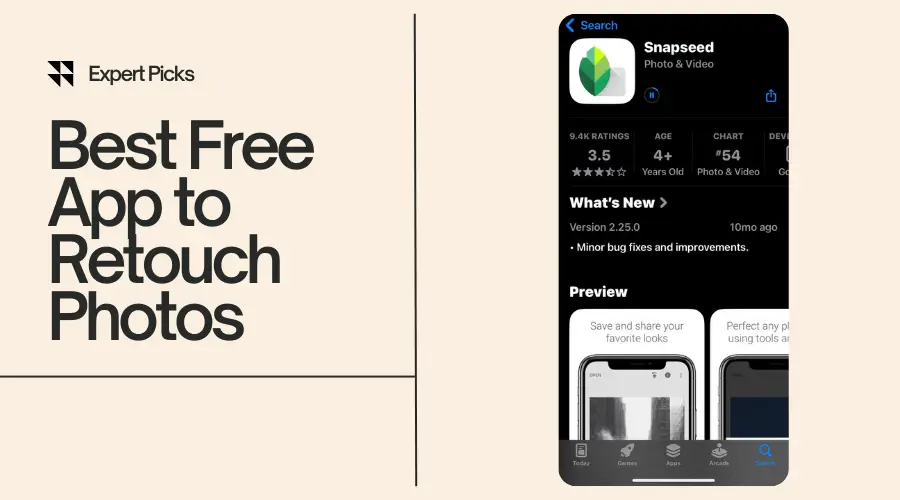
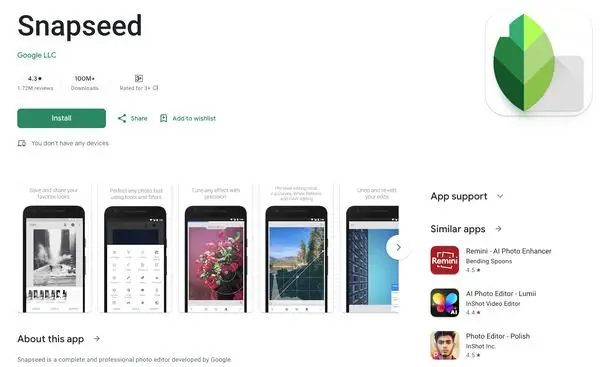
Best free app to retouch photos—that’s exactly what you’re searching for, right? They are really useful if you’re fixing a quick selfie, smoothing out skin, or removing something from the background. In 2025, there are plenty of options out there. But only a few actually deliver pro-level results without costing you a dime. So, what’s the best free app to retouch photos? Snapseed is hands down one of the best free apps for photo retouching out there. It’s simple and powerful. Also, it gives you the tools you need to retouch photos fast. All this can be done without watermarks or complicated steps. In this post, I’ll walk you through the top free photo retouching apps you can start using right now. I will cover easy-to-understand breakdowns, pros and cons, and tips for flawless edits. Let’s jump in and find your new favorite photo-fixing sidekick! 🏆 2025 Roundup – Best Free Apps to Retouch Photos When I searched for the best free app for retouching photos, I didn’t want a long list full of junk. I wanted fast, clean edits with no hidden costs. That’s exactly what I’ve put together here. I’ve tested each of these best photo retouch app myself. So what you’ll read below is based on real use, not just features on paper. These mobile retouching apps are all free, beginner-friendly, and loaded with powerful photo face editor tools, image cleanup tools, and other must-have touch-up photo app features. Ready? Let’s find your favorite. 1. Snapseed – Best for Beginners 📱 Download Snapseed for Android📱 Download Snapseed for iOS If you’re just starting out, Snapseed is my top pick for the best free app to retouch photos. It’s super easy to learn and gives you control over your edits without being confusing. Key Retouching Features of Snapseed: Pros of Snapseed: ✅ Simple interface.✅ Great tools for photo face editing.✅ No ads or watermarks.✅ Best photo retouch app for Android and iPhone. Cons of Snapseed: ❌ No beauty filters.❌ Might feel basic if you want advanced AI. Ideal For: This is the best app to retouch photos for beginners who want clean and no-fuss retouching. 2. Adobe Photoshop Express – Best for Smart Auto Edits 📱 Download Adobe Photoshop Express for Android📱 Download Adobe Photoshop Express for iOS If you want smart editing with one tap then Adobe Photoshop Express is a solid option. It’s one of the best apps to retouch photos on iPhone. It’s made by Adobe, so the tools are solid, even in the free version. Key Retouch Features of Adobe Photoshop Express: Pros of Adobe Photoshop Express: ✅ Smart AI retouch tools✅ Powerful background cleanup✅ Trusted brand Cons of Adobe Photoshop Express: ❌ This best free photo retouch app requires Adobe account❌ Some features are locked behind the paywall. Ideal For: Anyone who wants smart auto edits without digging into details. 3. Lightroom Mobile – Best for Color Retouching 📱 Download Lightroom Mobile for Android📱 Download Adobe Lightroom for iOS If you’re picky about color then Lightroom Mobile is the best free photo retouching app. It’s free, clean, and gives amazing control over tones, lights, and shadows. Key Retouch Features: Pros of Lightroom Mobile: ✅ Pro-grade color control✅ Best for light and contrast tweaks✅ Non-destructive edits Cons of Lightroom Mobile: ❌ Takes time to learn❌ No built-in beauty filters Ideal For: Intermediate users who want natural-looking color edits. 4. AirBrush – Best for Portrait Retouching 📱 Download Airbrush for Android📱 Download Airbrush for iOS AirBrush is the best free photo retouch app for iPhone when I want to edit selfies or portraits. It’s packed with photo face editor tools that smooth skin, whiten teeth, and more—all free. Key Retouch Features of AirBrush: Pros of AirBrush: ✅ Fast beauty retouching✅ Realistic results✅ Great for social media Cons of AirBrush: ❌ Some tools need premium❌ Ads can be annoying Ideal For: Selfie lovers and beauty bloggers. 5. YouCam Perfect – Best for Beauty Filters 📱 Download YouCam Perfect for Android📱 Download YouCam Perfect for iOS YouCam Perfect is great if you love filters that do the job for you. With one tap, it smooths skin, brightens eyes, and adds glow. No effort needed! Key Retouch Features of YouCam Perfect: Pros of YouCam Perfect: ✅ One-tap beauty edits✅ Easy to use✅ Great for Instagram-ready photos Cons of YouCam Perfect: ❌ Watermark unless you upgrade❌ Limited manual control Ideal For: Quick edits before posting online. 6. Fotor – Best All-in-One App 📱 Download Fotor for Android📱 Download Fotor for iOS Fotor combines everything in one place. It works for retouching, collage making, and even basic design work. You don’t need multiple apps. Key Retouch Features of Fotor: Pros of Fotor: ✅ Multi-purpose tool✅ Clean UI✅ Built-in AI tools Cons of Fotor: ❌ Some features require login❌ Ads pop up frequently Ideal For: Anyone who wants editing and design in one free app. 7. PicsArt – Best for Creative Edits 📱 Download PicsArt for Android📱 Download PicsArt for iOS PicsArt isn’t just a retouching app—it’s a playground. If you want to combine retouching with creative effects, this is where I have the most fun. Key Retouch Features of PicsArt: Pros of PicsArt: ✅ Huge effects library✅ Fun tools and templates✅ Easy to share directly to social Cons of PicsArt: ❌ Interface can feel busy❌ Ads without subscription Ideal For: Creative users and Gen Z editors. 8. PhotoDirector – Best for AI Retouching 📱 Download PhotoDirector for Android📱 Download PhotoDirector for iOS If you’re into AI tools, PhotoDirector is one of the best touch-up photo apps right now. It’s free and includes futuristic features for editing. Key Retouch Feature of PhotoDirectors: Pros of PhotoDirectors: ✅ Smart and fast✅ Good results with AI✅ Constant updates Cons of PhotoDirectors: ❌ Limited manual edits❌ Ads unless you subscribe Ideal For: Users who want quick results with minimal input. 9. Pixlr – Best for Fast Fixes 📱 Download Pixlr for Android📱 Download Pixlr for iOS Sometimes, I just want to do a quick
How to Retouch Photos on iPhone in 2025 (Super Easy Steps)

📱Learn how to retouch photos on iPhone in 2025 with easy steps to create flawless, professional-looking photos in minutes!
Best AI Photo Retouching App for Stunning Edits (2025)

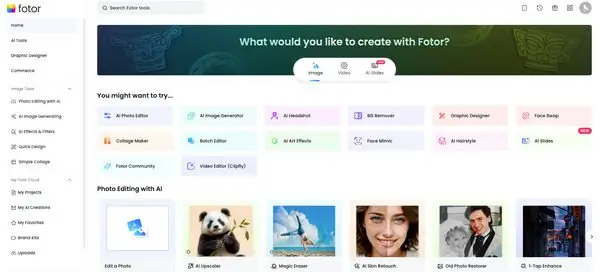
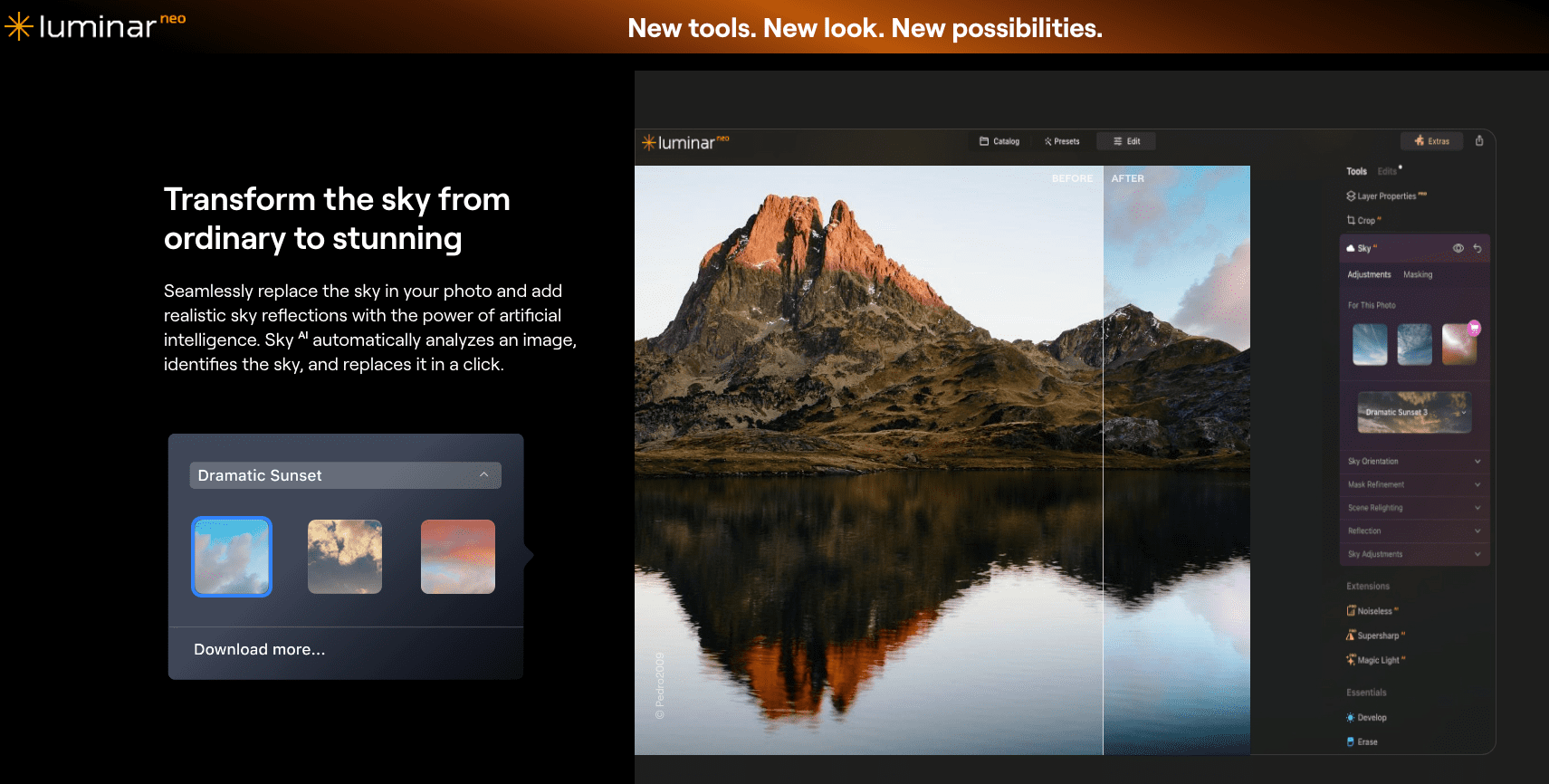
AI photo retouching apps is changing the game for photographers, content creators, and everyday users who want stunning edits without spending hours in Photoshop. If you’re cleaning up a selfie, perfecting a portrait, or enhancing a product shot then AI tools can now do most of the heavy lifting for you. So, what is the best AI photo retouching apps for stunning edits? You can retouch photos with AI with some of the best apps including – Luminar Neo, Fotor AI Editor, Picsart, Remini, and Facetune. The best tools combine speed, accuracy, and smart features like skin smoothing, blemish removal, background cleanup, and even lighting correction. All are powered by artificial intelligence. From beginner-friendly apps to advanced desktop editors, there’s an AI to retouch photos for every editing style and skill level. In this guide, I’ll walk you through the top AI photo retouching software available today, what features to look for, and how to pick the right one for your editing needs. Let’s dive in! 🎨 Contact Us for Professional Photo Retouching! The 10 Best AI Photo Retouching Apps for Stunning Edits 1. Luminar Neo – Smart AI ai Photo Retouch Software for Pro-Level Results If you’re looking for AI photo retouching app that feels powerful but doesn’t overwhelm you, Luminar Neo is a great choice. I use it when I want fast edits with a high-quality look. What makes Luminar Neo stand out is how smart its tools are. The AI-powered skin retouching automatically smooths skin, removes blemishes, and keeps natural textures. It also has Relight AI to fix uneven lighting and Portrait Bokeh AI to blur the background just like DSLR cameras. The Sky AI lets you swap out dull skies in seconds. It’s perfect for photographers who need to save time by retouch photos with ai. You will get a polished and clean look in their photos. ✅ Best for: Photographers who want pro results fast Download Skylum’s Luminar Neo 2. Fotor AI Editor – Simple and Fast Ai Retouch Photo Free Fotor AI Editor is one of the easiest tools I’ve used for photo touch-ups. It’s a lightweight, browser-based AI photo retouching software that works great if you’re just starting out. With one click this AI photo retoucher can fix skin tone, reduce wrinkles, and smooth out imperfections. It’s perfect when I need to quickly clean up a selfie or adjust lighting before uploading to social media. The automatic photo retouching tools make it super user-friendly. You don’t need to tweak settings manually. It does the heavy lifting for you. If you want a clean, bright look without learning Photoshop, this is a solid pick. ✅ Best for: Beginners and casual users Try Fotor’s AI photo retouching free 3. Picsart AI Tools – Creative AI Photo Retouch Online Free If you’re editing on your phone and want something creative, I recommend Picsart AI Tools. It’s more than just a photo retouching app. It comes with fun and effective tools like a face enhancer, blemish remover, and even AI hair color changer. The app is super fast. I can edit photos in under a minute and share them right to Instagram. The photo beautification AI gives a natural glow, adjusts tones, and makes small edits that improve the photo without making it look fake. This AI photo retoucher also includes trendy filters, text, and stickers—perfect for content creators or influencers looking to boost their visual game. ✅ Best for: Social media creators who need quick and stylish edits Download Picsart AI Photo Editor 4. Remini AI – Best for Restoring Old or Blurry Faces Remini AI saved a bunch of my old family photos. It’s one of the most talked-about AI photo retouching app options because of its ability to fix blurry, low-quality, or old pictures in seconds. I uploaded a grainy photo once, and Remini cleaned up the face with stunning clarity. This AI photo retoucher AI face enhancer boosts sharpness, reduces noise, and recovers facial details that seem lost. It works especially well for portraits, making it a favorite for photographers and even people restoring old prints. The app works on mobile, so you can fix images right from your phone. ✅ Best for: Face restoration and portrait clarity Download Remini for Mobile 5. BeFunky AI Photo Editor – Balanced AI Retouching Photo Features for Business and Personal Use BeFunky offers a great balance between control and automation. It’s another solid AI photo retouching app that includes smart tools like AI background remover, skin softening, and eye enhancement. I’ve used it to clean up product photos for online stores and also for retouching casual portraits. It doesn’t feel too technical, but it still gives you room to tweak edits if you want a custom touch. Their automatic editing tools are perfect for small business owners who need clean, polished images without paying for expensive design help. ✅ Best for: Small business owners and marketers Explore BeFunky AI Tools These five tools are just the beginning. There are even more options coming up that I personally tested and found helpful for different types of editing. It can be beauty, product, or lifestyle content. Keep scrolling to find the next five picks in this guide on the best AI photo retouching app for stunning edits. If you’re liking what you’ve seen so far, you’re going to love what’s next! 💡 6. Adobe Photoshop (Neural Filters) When I need full control over editing, I go with Adobe Photoshop. The Neural Filters inside Photoshop give me the power of both manual photo editing and AI-based image retouching. That combo is hard to beat. I can smooth skin, adjust facial features, and even change the direction of someone’s gaze with just a few sliders. These smart AI filters help speed things up without losing quality. I mostly use this tool when I’m working on detailed client portraits or commercial photo edits. It’s perfect for people who already understand layers and masking. ⚠️ Note: Photoshop is part of Adobe’s
Best photo retouching software for Mac in 2025
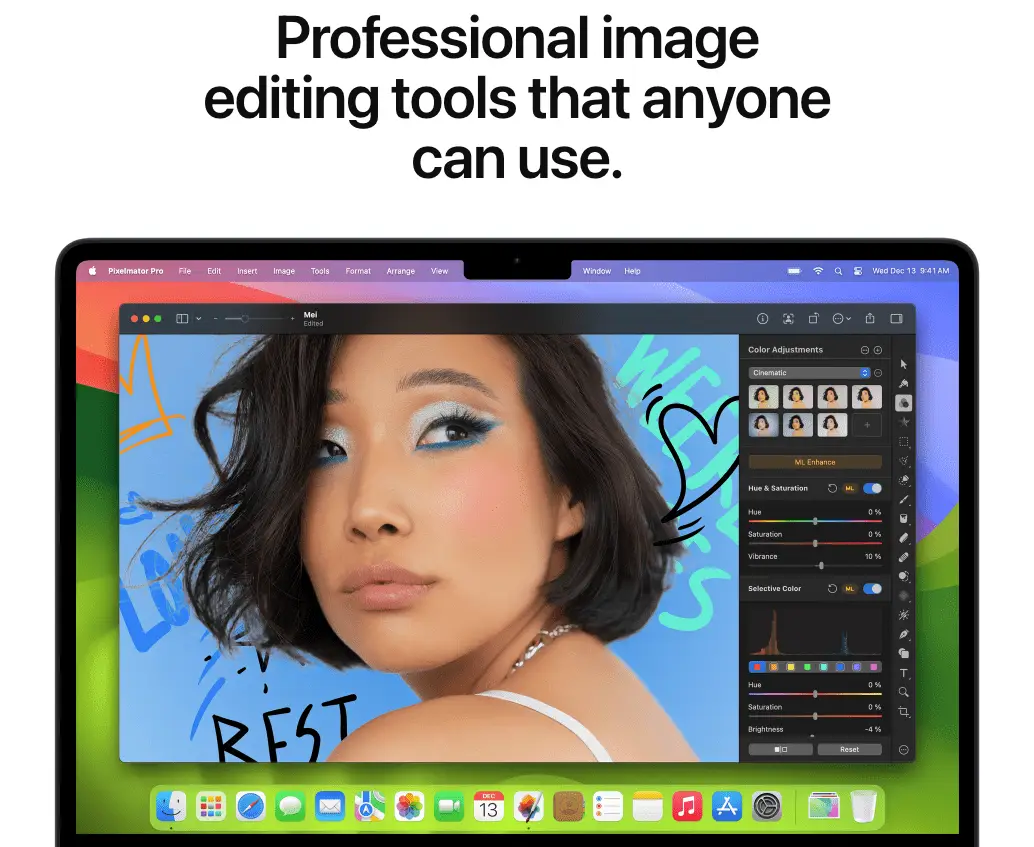
If you’re looking for the best photo retouching software for Mac in 2025, you’re in the right place. Whether you’re a professional photographer, a designer, or just someone who loves editing pictures, having the right software can make a huge difference. In 2025, image editing has become smarter and faster thanks to AI-powered tools. You no longer have to spend hours tweaking details manually—modern software can automatically enhance your photos with just a few clicks. But with so many options available, choosing the right photo editing software for Mac can feel overwhelming. That’s why I’ve put together this guide. I’ll walk you through the top Mac image retouching apps, highlight their features, and help you find the perfect fit for your editing needs. Whether you’re looking for professional photo retouching tools like Photoshop or beginner-friendly AI-based software, I’ve got you covered. Need Help with Photo Retouching? 📞 Contact Us! What You’ll Learn in This Guide Here’s what I’ll cover:🔹 The top 10 best photo retouching software for Mac in 2025.🔹 A detailed comparison of features, pricing, and ease of use.🔹 Tips on choosing the best Mac photo retouching software for your needs.🔹 AI-powered vs. manual editing: What works best?🔹 FAQs on Mac image retouching tools and their capabilities. If you’re ready to level up your photo editing software for Mac, let’s dive in! 🚀 Top 10 Best Photo Retouching Software for Mac in 2025 1. Adobe Photoshop – The Industry Standard When people talk about the best photo retouching software for Mac in 2025, Adobe Photoshop still leads the way. It’s been the go-to software for professionals for decades, and it keeps getting better with new AI-powered tools. Why Photoshop Still Rules in 2025 Photoshop remains the best Mac image retouching software because of its powerful tools and precision editing. Whether you’re working on high-end portraits, product photography, or creative composites, Photoshop gives you total control. ✅ AI-Powered Retouching – With tools like Generative Fill and Neural Filters, Photoshop can remove objects, enhance skin, and even change facial expressions in seconds.✅ Advanced Brushes & Layers – Retouching in Photoshop is precise, thanks to its layer-based editing and customizable brushes.✅ RAW Image Editing for Mac – Photoshop works seamlessly with Adobe Camera Raw, making it perfect for photographers. Subscription Pricing & Alternatives Photoshop is available through Adobe’s subscription plan, starting at $20.99/month or as part of the Photography Plan with Lightroom for $9.99/month. If you prefer a one-time purchase, Affinity Photo is the best alternative. 2. Lightroom – Best for Photographers If you’re a photographer, Adobe Lightroom is the best photo retouching software for Mac that simplifies editing while keeping everything organized. It’s perfect for batch editing, making global adjustments, and enhancing images with AI tools. Why Lightroom is a Must-Have in 2025 📷 AI-Enhanced Masking – Lightroom can automatically detect subjects and skies, making selective edits easier.☁ Cloud Integration – Your photos sync across all devices, so you can edit anywhere.🖼 RAW Editing & Batch Processing – Perfect for photographers handling hundreds of images at once. Lightroom is part of Adobe’s Photography Plan ($9.99/month), which includes Photoshop, making it a great deal. 3. Affinity Photo – The Best Photoshop Alternative If you don’t like subscriptions, Affinity Photo is the best one-time purchase photo retouching software for Mac. It’s packed with professional tools and runs smoothly on Apple M1, M2, and M3 chips. Key Features of Affinity Photo 🖌 Advanced Retouching – Tools like frequency separation and inpainting brush help with precise skin smoothing and object removal.💻 Optimized for Mac – Built for Apple silicon, ensuring fast performance.💰 One-Time Purchase – Costs $69.99, making it a budget-friendly alternative to Photoshop. 4. Luminar Neo – Best AI-Powered Photo Retouching Software for Mac If you love AI-driven editing, Luminar Neo is one of the best photo retouching software for Mac in 2025. It’s beginner-friendly but powerful enough for professionals. Why Luminar Neo Stands Out 🤖 AI-Powered Retouching – Skin AI, Face AI, and Sky Replacement automate complex edits.🖱 Easy to Use – Perfect for beginners who want great results without a steep learning curve.💲 Flexible Pricing – Available as a one-time purchase ($149) or a subscription ($7.99/month). 5. Capture One – Best for Professional Photographers For studio photographers and professionals, Capture One is the best RAW image editing software for Mac. It offers advanced color grading, tethered shooting, and layer-based editing. Why Pros Love Capture One 🎨 Best Color Grading – Capture One’s color tools offer unmatched precision.📸 Tethered Shooting – Connect your camera directly for real-time editing.💾 RAW Editing Power – Handles large RAW files without slowing down. Capture One is available for $24/month or as a one-time license ($299). 6. Pixelmator Pro – Best Budget-Friendly Mac Photo Editor If you want a powerful but affordable photo retouching software for Mac, Pixelmator Pro is a great choice. It offers AI-powered tools, seamless macOS integration, and a one-time purchase option. Why Pixelmator Pro Stands Out in 2025 💰 Budget-Friendly – Costs only $49.99, making it an affordable Photoshop alternative for Mac.🤖 AI-Powered Retouching – Features like automatic background removal and ML Enhance make editing easier.🍏 Perfect for Mac Users – Works seamlessly with Apple Photos, making editing fast and simple. This is the best option if you need AI-powered photo editing software without a monthly subscription. 7. DxO PhotoLab – Best for Noise Reduction & Detail Enhancement If you’re serious about image quality, DxO PhotoLab is one of the best photo retouching software for Mac in 2025. It’s designed for photographers who need advanced noise reduction and lens correction. Top Features of DxO PhotoLab 🎯 DeepPRIME AI Noise Reduction – Removes noise while keeping details sharp, perfect for low-light photography.🔍 Advanced Lens Corrections – Fixes distortions and sharpens images based on your camera and lens.🌄 Great for Landscapes & Portraits – Helps bring out natural colors and fine details. DxO PhotoLab costs $229 (Elite Edition), but it’s worth it if you need professional-level image enhancement. 🎨 Contact Us for Professional Photo Retouching!
Retouch a Photo Online Free – Make Any Picture Look Stunning!

Retouch a photo online free and give your images a flawless, professional look without spending a dime! Whether you need to remove blemishes, enhance colors, or sharpen details, online photo retouching tools make it easier than ever to perfect your pictures. So, can you retouch a photo online free – make any picture look stunning? Absolutely! With AI-powered editors and simple online tools, you can achieve high-quality results in just a few clicks—no Photoshop or advanced skills required. In this guide, I’ll walk you through the best free tools, step-by-step editing tips, and expert tricks to make your photos look amazing effortlessly! How to Retouch a Photo Online Free: A Step-by-Step Guide If you want to retouch a photo online free, you don’t need expensive software. There are plenty of free tools that can enhance your images in just a few clicks. In this guide, I’ll walk you through every step to make your pictures look stunning—without any technical skills required! Step 1: Choose the Right Online Photo Editor The first step is picking a tool that fits your needs. Many free online editors offer powerful retouching features, but you’ll want to look for: ✅ AI-Powered Editing – Some tools use AI to remove blemishes, adjust colors, and enhance details automatically. ✅ User-Friendly Interface – A simple, drag-and-drop layout makes editing faster and easier. ✅ Retouching Features – Look for tools with skin smoothing, object removal, and lighting adjustments. Here are some of the best free online photo editors: 👉 Pro Tip: Check if the tool allows high-resolution downloads, so your image doesn’t lose quality after editing. Step 2: Upload Your Image Once you’ve chosen your editor, the next step is uploading your photo. 📤 How to Upload: 📁 Supported File Formats: Most free editors support JPG, PNG, and WebP. Some also allow RAW files for better editing flexibility. 👉 Pro Tip: For the best results, use high-resolution images so edits don’t look pixelated. Contact Us for Professional Photo Retouching Service With Free Trial Step 3: Basic Enhancements Before diving into detailed retouching, start with basic enhancements. These simple tweaks can make a huge difference in your image quality. 🎨 Adjust These Settings: Many online editors have an Auto-Enhance option that instantly balances lighting and colors. If you prefer manual control, use sliders to fine-tune your image. 👉 Pro Tip: Avoid increasing saturation too much—it can make the skin look unnatural. Step 4: Blemish Removal & Skin Smoothing If you want flawless skin without making it look fake, this step is key. Most free photo editors have tools to remove acne, scars, and wrinkles while keeping a natural look. 🛠 How to Remove Blemishes: ❌ Avoid Over-Editing: 👉 Pro Tip: If the editor has a Blur Tool, use it lightly under the eyes to soften dark circles without losing sharpness. 15 Best Ecommerce Photo Editing Software for Perfect Product Images Step 5: Background Editing & Object Removal Ever taken a great photo but had an unwanted object in the background? Luckily, you can fix that in seconds! 📌 Ways to Edit Backgrounds: ✅ Remove Objects – Use the Clone Stamp or AI Object Remover to erase distractions.✅ Blur Backgrounds – Create a portrait effect by blurring everything except the subject.✅ Change Backgrounds – Replace backgrounds with a solid color, a gradient, or another image. Some editors, like Remove.bg, specialize in background removal and work great alongside other tools. 👉 Pro Tip: If your subject has messy edges after removal, use the Feathering option to soften them for a natural look. Step 6: Sharpening & Adding Final Touches Now that your photo is almost ready, it’s time for the finishing touches! 🖌 Enhancements to Consider: 🎭 When to Use Filters: 👉 Pro Tip: If you use a filter, reduce the intensity to around 30-50% for a natural look. Step 7: Save & Download the Edited Photo You’re done editing! Now, let’s save your masterpiece in the best format. 📥 Best File Formats: 🛠 How to Download: 👉 Pro Tip: If you plan to post the image online, use JPEG compression to reduce file size without losing quality. Why Retouching a Photo is Important Ever taken a great photo that just needed a little tweak to look perfect? That’s where photo retouching comes in. Even small edits can make a big difference, whether it’s fixing lighting, removing blemishes, or enhancing colors. If you want to retouch a photo online free, you’re not alone! People edit photos for many reasons, and a well-retouched image can have a huge impact on different platforms. 📸 Why Retouching Matters: ✅ Social Media – A polished photo gets more engagement and looks more professional.✅ Professional Profiles – Your LinkedIn or business profile photo should be clean and high-quality.✅ E-commerce – Better product photos mean more sales.✅ Personal Use – Want to fix lighting, remove a distraction, or smooth skin? Easy! 👉 Pro Tip: Even subtle edits, like adjusting brightness and contrast, can make a photo stand out without looking fake. How to Edit Product Photos for Ecommerce – Complete Guide Best Free Online Photo Retouching Tools If you’re looking for the best free tools to edit photos online, I’ve got you covered. Here are some great options that let you retouch a photo online free without downloading expensive software. 1. Fotor 🖼️ 🔹 Best for: Quick AI-powered retouching🔹 Features: Skin smoothing, blemish removal, color correction🔹 Why Use It? One-click AI tools make editing super easy.👉 Try it: Fotor Free Photo Editor 2. Pixlr 🎨 🔹 Best for: Beginner-friendly editing🔹 Features: Advanced filters, spot healing, background remover🔹 Why Use It? Simple interface with pro-level tools.👉 Try it: Pixlr Free Online Editor 3. BeFunky 🎭 🔹 Best for: Fun filters and creative edits🔹 Features: Skin retouching, object removal, artistic effects🔹 Why Use It? Great for social media and casual edits.👉 Try it: BeFunky Photo Editor 4. iPiccy ✨ 🔹 Best for: Simple skin smoothing🔹 Features: Wrinkle remover, skin tone adjustments, color correction🔹 Why Use It? Fast and easy
11+ Best Photo Retouch Program for 2025

🎨Looking for the best photo retouch program? Discover 11+ top tools to edit, enhance & perfect your photos like a pro in 2025! 🚀
7 Best ai photo retouching software

AI is shaking up the photo editing game, and AI photo retouching softwares too! These tools can detect and enhance details in images with almost human-like intuition. All this is done in a fraction of the time it would take manually. AI photo retouching softwares makes editing faster and smarter. If you’re a professional photographer, a hobbyist, or just someone who wants your selfies to look their best then you must give them a try. In this post, I’ll introduce you to the 7 best AI photo retouching softwares. Each one these softwares are designed to enhance your photos in unique ways. Each tool here has made its mark by blending innovative features with AI’s efficiency I’ll walk you through what makes these tools stand out and share a few tips to help you pick the one that’s perfect for you. What is AI Photo Retouching Software? AI photo retouching software are photo editing tools that use artificial intelligence to automatically detect and enhance various aspects of an image. This includes lighting, color balance, and facial details. This technology can drastically reduce the time and effort needed for photo editing. They also deliver professional-quality results. AI photo retouching software can enhance your photos with just a few clicks. This makes it a fantastic option not just for pros but also for beginners. It can even bring out details you may not have noticed on your own! How AI Photo Retouching Software Works So, how does AI actually improve your photos? It all starts with machine learning algorithms that have been trained on thousands of images. They are learning to recognize common patterns and elements in photos. This includes everything from faces to backgrounds, textures, and even imperfections. AI can perform tasks like facial recognition, background editing, and auto-enhancement in seconds. It can soften skin tones, adjust lighting and replace the background in an image with surprising accuracy. Your photos come out looking professional with AI-powered photo editing tools. Why Choose AI for Photo Retouching? Speed and Efficiency One of the main reasons to choose AI photo retouching software is speed. AI can edit your photo faster than you could imagine. Editing that might take hours manually can be done in minutes or even seconds. User-Friendly Interfaces AI editing software doesn’t require advanced technical skills to use it. Many of these tools are beginner-friendly editing tools. They have one-click enhancements and simple sliders that adjust basic elements like brightness, contrast, and saturation. But only experts can smoothly retouch tiny details. Accuracy and Quality AI photo retouching tools can identify basic blemishes, enhance colors, and bring out fine textures that can go unnoticed. You can achieve professional looking photos without extensive manual adjustments. The results of AI photo retouching software are almost accurate. For 100% accurate you can hire a photo retoucher or contact a reputable photo touching company for retouching a large number of images. The 7 Best AI Photo Retouching Software Let’s jump right into the list of my top picks for the best AI photo retouching software out there. Each tool offers something unique. They comes with professional-grade editing to social media-ready touch-ups. I’ll give you a quick breakdown of each one. Also will share what makes it a standout. By the end of this list, you should have a good sense of which one is right for you! 1. Adobe Photoshop with AI Plugins Let’s start with the powerhouse of the bunch, Adobe Photoshop. Known for its extensive editing capabilities, Photoshop has integrated AI through plugins like Adobe Sensei and other third-party options. This software isn’t just about traditional edits. It also has advanced AI editing features like auto-selection, face detection, and skin smoothing tools. Features: Pros and Cons: Best For: Professionals looking for comprehensive and high-quality professional image retouching. If you’re already in the Adobe ecosystem, Photoshop with its AI tools is a fantastic choice. You might want to check out this article on how to use Adobe Sensei for better photo edits to get started. 2. Luminar AI Next up is Luminar AI, a go-to for users looking for one-click simplicity. Luminar is famous for its quick adjustments like sky replacement and its skin enhancer tools, making it ideal for hobbyists or semi-pros who want beautiful images without a deep dive into complex settings. Features: Pros and Cons: Best For: Hobbyists and semi-professionals looking for quick edits with quality results. With its ease of use and effectiveness, Luminar AI is an excellent choice for anyone who wants efficient one-click photo editing. Here’s a guide on how to get the best out of Luminar AI if you’re interested. 3. FaceApp AI For those focused on portrait editing, FaceApp AI is a game-changer. This tool has made a name for itself with specialized portrait features like age effects, background adjustments, and skin tone retouching. It’s a hit among social media fans who want standout selfies. Features: Pros and Cons: Best For: Social media enthusiasts looking for instant, shareable portrait edits. If you’re aiming to keep your photos social media-ready, FaceApp is one of the best options. Take a look at some AI portrait editing ideas from popular FaceApp features to get inspired. 4. Fotor AI Photo Editor Fotor is one of the most accessible and budget-friendly options on this list. Known for its basic retouching and AI-powered image enhancement, Fotor delivers solid editing for those new to photo editing who want reliable results without spending much. Features: Pros and Cons: Best For: Beginners or casual users looking for basic, affordable AI photo tools. If affordability and ease are your priorities, Fotor AI is definitely worth checking out. Here’s more on what you can do with Fotor’s editing features. 5. VSCO with AI Filters For those who love creative, stylized photos, VSCO is a fantastic choice. Known for its array of filters, VSCO now incorporates AI filters to create artistic effects effortlessly. It’s a popular choice among creatives and social media users who want a touch of flair