What is the best size for ecommerce product images (2025)

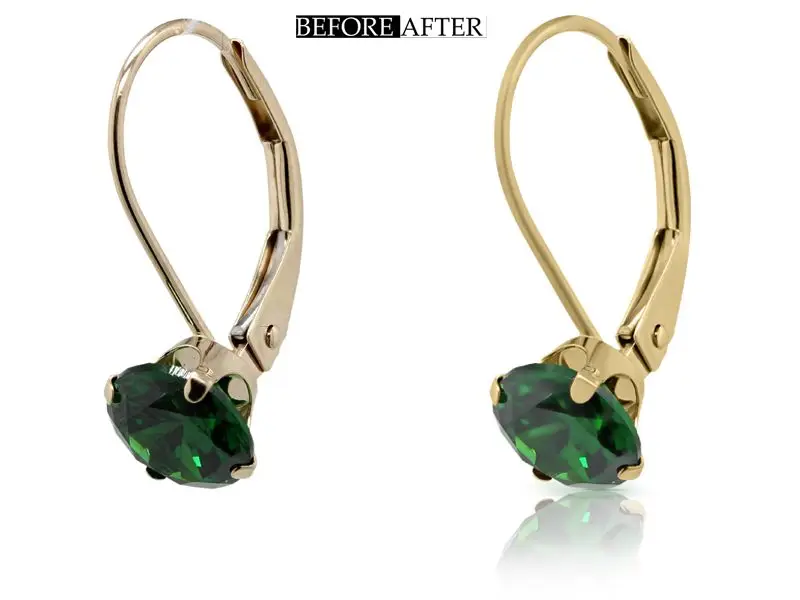
Your product images are the first thing shoppers notice in your online store. That’s why understanding what is the best size for ecommerce product images is so important. A blurry and poorly sized image can make even the best product look unappealing. The right image size can make your store look professional and attract more buyers. When someone asks, “What’s the best size for ecommerce product images?” the answer isn’t always one-size-fits-all. Different platforms and products have unique requirements. But don’t worry—I’m here to break it down for you. What You’ll Learn in This PostIn this article, I’ll walk you through: By the end, you’ll know exactly what size your product images should be and how to make them work for your store. Contact Smart Clipping For Optimizing and Resizing Your Ecommerce image Why Image Size is Crucial in Ecommerce Did you know that high-quality images can increase conversions by building trust with your customers? Clear and well-sized images show off your products in the best possible way. They also help your store look more polished and professional. This is really important in building credibility. How Image Size Affects User Experience Imagine this: A potential customer clicks on your site, but it takes forever to load because of oversized images. Frustrating, right? Page speed matters a lot. Studies show that slow-loading pages can lead to higher bounce rates. This means people leave your store before even seeing your products. The Role of Page Load Speed in Conversions When your images are too large, they slow down your site. A slower site doesn’t just annoy users; it also affects your sales. In fact, even a one-second delay can reduce conversions by 7%. That’s why keeping your file sizes optimized is so important. Blurry or Oversized Images Hurt Sales On the flip side, uploading small and blurry images is just as bad. Customers want to see every detail before buying. Especially for items like clothing, furniture, or electronics. If your images look low-quality then shoppers might assume the same about your products. SEO Benefits of Correctly Sized Images Search engines love fast-loading websites and your image sizes play a huge role in this. You can improve your page speed by optimizing your image dimensions and file sizes. This helps boost your ranking on Google. Don’t forget to use alt text and file names that describe your product. For example, instead of “IMG1234.jpg,” go with “blue-t-shirt-large.jpg.” Image Dimensions for Mobile and Desktop Views With mobile shopping on the rise. That’s why your product images need to look good on all devices. Using the right dimensions ensures that your photos are responsive and adapt to both desktop and mobile views without losing quality. What is the Best Size for Ecommerce Product Images? Standard Image Dimensions The short answer: Most ecommerce platforms recommend square images with dimensions around 1000×1000 pixels or 1200×1200 pixels. Why? Square images fit well in product listings and are easy to crop for thumbnails or zooming features. Why Square Images Work Best for Ecommerce Websites Square images give you a consistent layout across your store. They’re also compatible with most ecommerce themes and mobile displays. A 1:1 aspect ratio ensures that your products look centered and professional. Platform-Specific Image Recommendations for Ecommerce Let’s break it down by eCommerce platforms: Make sure you double-check the platform you’re using to ensure you meet their specific guidelines. Best Practices for High-Quality Ecommerce Images With these tips, your product images will not only look amazing but also help improve your ecommerce store’s performance. Related Blog Posts Also, check the video below to speed up your ecommerce website: Choosing the Right Image Resolution Image resolution plays a huge role in how your product photos look online. The resolution is the number of pixels in an image. This determines its clarity and sharpness. High-resolution images showcase your product details better. This also helps customers make confident buying decisions. Difference Between Resolution and Dimensions Resolution and dimensions aren’t the same. Dimensions are the width and height of an image in pixels (like 1200×1200 pixels). Resolution means the amount of detail in an image. This is often measured in DPI (dots per inch). The image dimensions for eCommerce define how big the image appears. On the other hand, the image resolution impacts how clear the product looks. Recommended DPI for Web Images Most web images work well with a resolution of 72 DPI. This is perfect for maintaining clarity without increasing file size unnecessarily. Anything higher than 300 DPI is more suitable for print and can slow down your website. Balancing High Resolution with File Size Finding the right balance between resolution and file size is key. You need to make sure your images look crisp but still load quickly. Start with high-resolution photos and then compress them to reduce file size without losing quality. Tools like TinyPNG or Adobe Photoshop are great for this. File Size Optimization for Ecommerce Images File size has a direct impact on your store’s performance. Large images slow down your page load time. This also frustrates shoppers and hurts your SEO ranking. A faster site means happier customers and better visibility on search engines. Faster Page Loads = Better User Experience and Rankings Google prioritizes fast websites and your images play a big part in that. If your eCommerce product photos take forever to load then visitors might leave before they even browse your products. That’s why you need to keep your file sizes small to ensure a seamless shopping experience. Tools to Compress Images Without Losing Quality Thankfully, there are plenty of tools that make image compression easy. Here are my favorites: File Formats and Their Role in Optimization Choosing the right file format is just as important as resizing. Different formats work better for different purposes: JPEG vs. PNG vs. WebP: Which Is Best? If you’re wondering which format to use then stick with JPEG for most product images. PNG also works well for specialized needs. But its larger file
How to create warm tone darkroom action on Photoshop (5 Easy Steps)

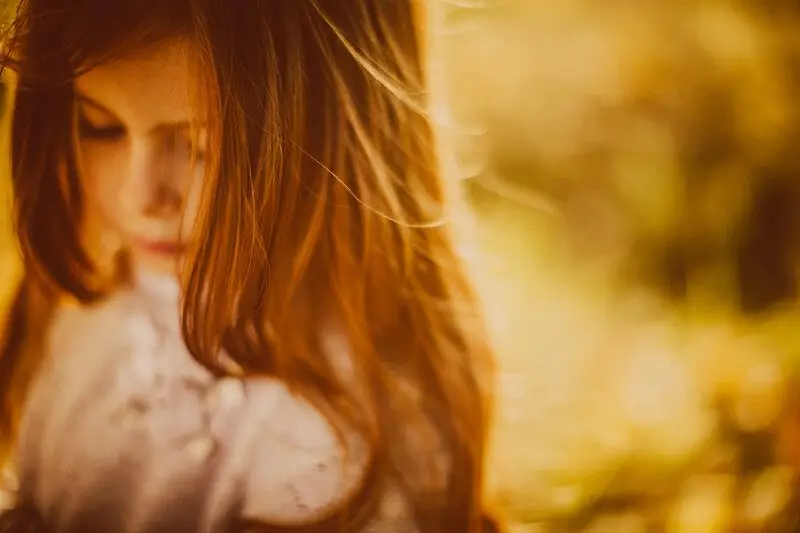
Creating a warm tone darkroom action on Photoshop means you can turn any digital photo into a beautifully retro image. This type of image will be full of character and depth. These effects replicate the warmth and deep contrast in old-school film photography. You can make your photos look like they were shot in a film studio with just a few tweaks. It enhances natural reds, yellows, and browns to create that timeless glow. Photoshop is a powerhouse for creating custom actions and warm tone darkroom effects. Once you set it up, you can apply it to any photo with just one click. Photoshop has every tool you need. It has Color Balance to Curves and Selective Color Adjustment to create a vintage and film-inspired look. Even if you’re new to Photoshop, following along with this tutorial will help you master this effect in no time. In this guide, I’ll walk you through each step of creating a warm tone darkroom action on Photoshop. By the end, you’ll have your own custom action that you can save and use over and over. What Are Warm Tone Darkroom Effects? Warm tone darkroom effects are inspired by traditional film photography techniques. It helps photographers adjust temperature and color during development to create a warm and inviting tone. These effects focus on reds, oranges, and yellows. This creates that familiar “glow” we see on vintage photos. Warm tone effects have become hugely popular in digital photography in recent years. They’re everywhere in social media, fashion shoots, and portrait photography. This is beautiful they create a sense of nostalgia and touch of classic charm. You can recreate this aesthetic in a single click with a warm tone darkroom action on Photoshop. This gives a powerful effect to your photos. The Emotional Impact of Warm Tones in Photography Warm tones aren’t just visually appealing but they’re emotionally impactful too. They evoke feelings of nostalgia, warmth, and coziness. This is why they’re so perfect for portraits, landscapes, and street photography. For example, a warm tone can turn an ordinary portrait into an memorable image that connects with viewers on a deeper level. Nature photos with warm tones can feel more alive. This makes golden-hour shots look even more magical. Key Elements of a Warm Tone Darkroom Action Creating a beautiful warm tone effect involves a few key components: contrast, exposure, color grading, and, of course, warmth. These elements work together to build depth and dimension. For example, adding contrast and adjusting shadows can give the image that film-inspired feel. On the other hand boosting reds and yellows in Color Balance helps to intensify the warmth. Photoshop’s tools make it easy to fine-tune each of these elements until you get the look you’re after. Get personalized Warmtone Darkroom Photoshop Action Setting Up Photoshop for Your Darkroom Action Getting Started with Photoshop If you’re new to Photoshop or just need a quick refresher then here are the essential tools you’ll be using: Layers, Adjustments, and the Actions panel. Layers let you make edits non-destructively. This means you can go back and change things if needed. Adjustments, like Color Balance and Curves lets you tweak color and lighting. This is where most of the magic happens. And the Actions panel is what lets you save this warm tone darkroom effect as a custom action. It is also easy to apply to other photos. If you’re using a recent version of Photoshop such as Photoshop CC then you’ll have everything you need to follow along. But older versions should work fine for these steps too. Because the main tools haven’t changed much. Preparing Your Image for Editing Choosing the right image is key when creating a warm tone effect. Images with natural lighting or a lot of neutral tones (like outdoor landscapes, portraits, or vintage-themed shots) works best. Try to avoid photos that are overly bright or have too many vibrant colors. Because sometimes they can clash with the warm tone effect. Make sure to adjust your photo’s exposure and contrast to get a balanced base before the edits. This helps the warm tones look more natural and prevents them from looking too intense. Related blog posts you may find useful on this are How to Choose Photos for Editing and Tips on Prepping Images for Color Adjustments. Creating Your Warm Tone Darkroom Action Step-by-Step Step 1: Adjust Basic Exposure Settings To get started with your warm tone darkroom action on Photoshop you need to adjust the exposure settings. Open your photo and go to Image > Adjustments > Exposure. You’ll want to increase contrast slightly to create that bold and film-like depth here. Now you need to adjust the Brightness and Exposure. This will help you control the light and dark balance in your image. Adding contrast and balancing exposure sets a strong foundation for the warm tone effect. Check out this guide if you’re looking for more tips on exposure adjustments. Step 2: Adding Warmth with Color Balance Now let’s add warmth to the image. Go to Image > Adjustments > Color Balance and adjust the sliders to bring out reds and yellows. You can also add a bit more red to the highlights and yellows to the midtones. This is where your image will start to take on that warm and nostalgic look. Using Color Balance is one of the easiest ways to control the warmth. You can always go back and tweak it later if it feels too intense. This is the most important step. Because it defines the mood of your warm tone darkroom action. Step 3: Creating Shadows and Highlights for Depth We’ll use Curves to adjust shadows and highlights to add more dimension. Go to Image > Adjustments > Curves, and then make a slight “S” curve by dragging the highlights up and the shadows down. This adds contrast and gives the photo that cinematic look. Using Curves also lets you deepen shadows without affecting the midtones too much. This helps to
10 Best free Photoshop night actions

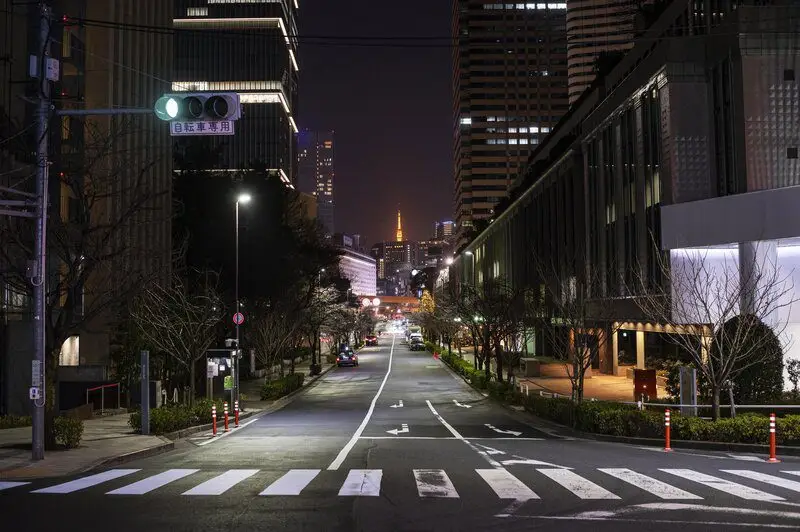
Looking for the best free Photoshop night action to level up your night photography? Then you’re in the right place! These Photoshop actions help you to add vibrant and moody effects to your nighttime shots. You will be able to make your photos from dark and dull to eye-catching with just one click. Night photography has a unique magic. It has beautiful scenarios like city lights, starry skies, and neon signs that look really cool. Capturing those details is tricky. But no worries as Photoshop night actions enhance them within seconds. These one-click edits are instant makeovers for your images. In this post, I’ll walk you through 10 of the best free Photoshop night actions out there. Each offers different styles and effects. There’s something here for every type of night photography. Let’s dive in and find the perfect night action to create those amazing night shots! What Are Photoshop Night Actions and Why Use Them? Photoshop night actions are pre-recorded sequences of edits that you can apply to your low-light or nighttime photos with a single click. These actions can instantly add mood, depth, and the perfect glow to your shots. You will be able to create professional-looking photos without spending hours adjusting individual settings. Types of Photoshop Night Action Effects: The best Photoshop night actions has various effects for nighttime photos. Some popular options include: These night action effects create striking visuals that capture the essence of night photography. Benefits of Using Free Photoshop Night Actions: Free Photoshop night actions will save you a ton of time. They also give a professional touch to your work. It’s great for photographers, influencers, and even basic users. Here are some other benefits of free Photoshop night actions: Using free Photoshop night action downloads can take your night photos from ordinary to extraordinary. Now that we’ve covered what night actions are and why they’re so effective, let’s jump into the main list! In the next section, I’ll guide you through the 10 best free Photoshop night actions that you can download and start using right away. Get ready to transform your night shots with just a click! 10 Best Free Photoshop Night Actions! 1. Nightmare Photoshop Action The Nightmare Photoshop Action gives your photos a dark and moody vibe. It’s perfect for eerie and horror scenes. If you’re looking to create something haunting then this is a great tool. You can use it to add that shadowy touch. Best For: This Photoshop night action is great for outdoor photos taken at dusk or nighttime. Also, good for foggy and wooded landscapes. How to Use: Apply the action and adjust the opacity to intensify or soften the mood. It pairs well with photos that already have shadows. This night action tool makes them appear even more mysterious. Where to Find: You can download the Nightmare Photoshop Action from Brusheezy for free. Example: Imagine a photo of a forest trail at dusk. The Nightmare action will add depth to the shadows and mute the highlights. This will create a spine-chilling effect. 2. Night Glow Photoshop Action This action brings city lights to life by enhancing their glow and adding vibrance. It’s perfect for urban night photography, giving your images a bit of extra magic and atmosphere. Best For: Great for cityscapes, neon signs, or any nighttime urban scenes that could benefit from a pop of color and light. How to Use: Apply the action and use the layer mask to control which areas of your image get the glow effect. Lower the opacity for a subtle touch, or crank it up for a bolder look. Where to Find: Get the Night Glow Photoshop Action for free at Freepik. Example: Think of a bustling street with neon signs. The Night Glow action can highlight those signs and add a bit of dazzle to the streetlights. This makes the scene feel alive. 3. Night to Twilight Action If you’ve ever wished you could capture the magic of twilight after dark then this action is for you. This night Photoshop actions turn dark images into vibrant twilight shots. It also enhances colors and brightens the overall look. Best For: Perfect for landscape shots, evening portraits, and any photo where you want a “golden hour” vibe. How to Use: Apply the action, then use color balance adjustments to tweak hues. It works best on images with a lot of natural elements. Where to Find: You can download the Night to Twilight from DeviantArt. Example: Imagine a lake at night. The Night to Twilight action will add warm purples and pinks to the sky. This will turn the scene into a colorful twilight masterpiece. 4. Cinematic Free Portrait Photoshop Action This action gives your night photos a cinematic look with deep shadows and rich contrast. It also adds a film like drama to portraits and street photography. Best For: Cinematic portrait Photoshop action is best for portraits. This action also works well with photos taken in dimly lit environments and streets. How to Use: Apply the action and adjust contrast to enhance a filmy look. You can also experiment with color grading for an even more cinematic effect. Where to Find: You can download the Cinematic Free Portrait Photoshop Action from Creative Tacos. Example: A photo of someone walking through a foggy alleyway will look cinematic and dramatic. You can use this action’s deep shadows and film-like colors for it. 5. Deep Matte Action This action adds a matte finish with muted colors. It gives photos a vintage or Victorian-inspired look. It’s a unique choice for night photos that need a mystery or an old-time feel. Best For: Works well on landscapes and night portraits, especially those with strong shadows. How to Use: Apply the action, then adjust the contrast and brightness to achieve the matte effect. The action is particularly effective with photos that have a lot of depth and shadow. Where to Find: The Deep Matte Action is available for free on Behance. Example: A
What Is Image Retouching? The Secret to Amazing Photos

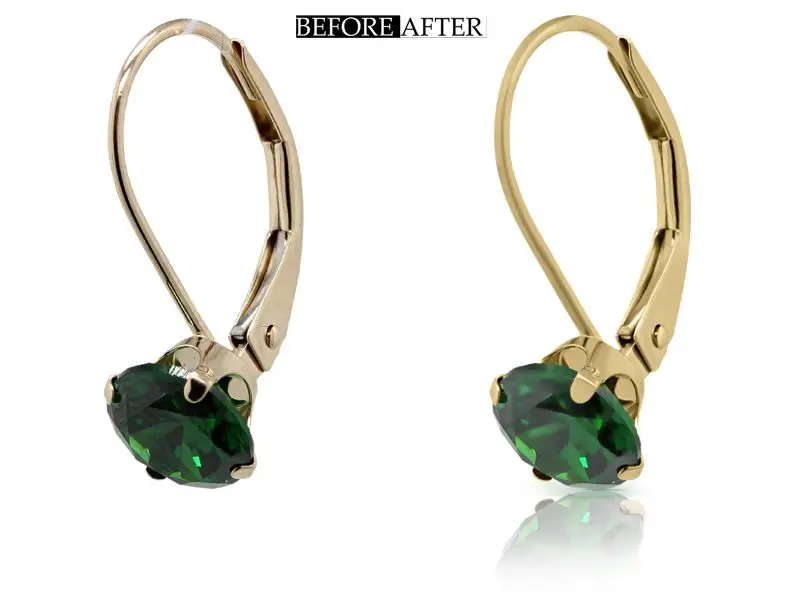
We often envision something breathtaking when we snap a photo. Yet, real-life lighting, tiny blemishes, or even a slightly off color balance can leave us feeling like the shot didn’t quite reach its full potential. Here’s where image retouching comes in. Image retouching is a technique that goes beyond basic editing to enhance, correct, and transform images into stunning visuals. It’s the art and science of polishing up images by adjusting details, removing imperfections, and enhancing qualities to bring out the best in every shot. Understanding image retouching is really important if you’re a photographer, a business owner, or someone who wants high-quality photos. Because the right retouching techniques can turn everyday photos into visually stunning images. What Is Image Retouching? When we ask, “What is image retouching?” we’re really diving into a process that’s more complicated than basic photo editing. Image retouching involves enhancing images by addressing specific flaws and refining details to make the final product look polished and professional. General photo editing focuses on broader adjustments like cropping or color tweaking. On the other hand photo retouching focuses on specifics like removing blemishes, evening skin tones, adjusting textures, and adding details that give an image a “wow” effect. The importance of image retouching spans several fields: Difference Between Photo Editing and Image Retouching It’s common to think of photo editing and retouching as the same. But there are important distinctions. Both improve the look of an image but they do so in different ways. Let’s break it down: Interestingly, these techniques frequently overlap. For example, when editing a portrait, you might make basic adjustments like cropping. But retouching becomes essential for that polished magazine look. Both techniques work hand-in-hand to deliver that professional final result. The History and Evolution of Image Retouching The Early Days of Retouching The roots of image retouching trace back to early photography and long before the digital era. Photographers used darkroom techniques to manually refine their images in those days. This included dodging, burning, and adjusting exposure to brighten or darken areas. This technique is similar to modern digital methods. Portrait retouching was popular because photographers wanted to give clients smooth and flattering images. They often used specialized retouching pencils to directly adjust negatives. Photography has moved into the digital age now. These manual techniques laid the foundation for software that would change the industry forever. Image Retouching in the Digital Age The digital revolution brought in tools like Adobe Photoshop. This quickly became the industry standard for retouching. Programs like Photoshop and Lightroom enabled retouchers to do more than ever before. They can now add layers, masks, and precise color adjustments with just a few clicks. Photoshop also made techniques like frequency separation and dodge & burn accessible to everyone. Today, we’re witnessing a new era with AI-powered tools like Luminar and FaceTune. AI technology helps users to apply basic retouching effects in seconds. It makes professional-looking images for non-experts. Basic image retouching has become faster with AI. It’s great for small companies who need visuals for their social media and e-commerce platforms. For anyone looking to learn more about these transformations, this article on the evolution of digital photography is a fantastic resource. If you are an agency or want a large number of images retouched by professionals, then you should definitely check this list of the best image retouching companies. Why Is Image Retouching Important? Enhancing Personal Photos Retouching isn’t just for professionals. It can enhance our personal photos too. Such as family photos, holiday shots, or milestone moments. A bit of retouching can take a photo from ordinary to extraordinary. It also preserves cherished memories in the best possible way. Image retouching can bes used to smoothen out skin tones in a family portrait and bring out the vivid colors in a sunset shot. This way you will be able to preserve memories beautifully. People often use photo retouching for special events like graduations, weddings, and family reunions. After all, these moments only come around once. That why it’s nice to have images that reflect the best of them. Professional and Commercial Benefits of Photo Retouching Image retouching is essential for professionals. High-quality images are a cornerstone of professional photography. Also, clients expects retouched photos. Retouching is also a must for creating images that represent the brand’s vision. It is an inseparable part of the product and fashion photography. Studies show that high-quality product images can significantly increase customer trust and conversions in e-commerce. This is highlighted by the E-commerce Guide. Businesses can showcase products in the best light with polished and retouched images. It helps them stand out from competitors and connect more effectively with their audience. The Different Types of Image Retouching Techniques 1. Skin Retouching Skin retouching is a core technique in portrait photography. It involves techniques for smoothing skin, removing blemishes, and enhancing facial features. Key methods include: The goal here is to keep things looking natural. Overdoing skin smoothing can leave an image looking fake, which is why maintaining authentic textures is so important. 2. Color Correction Color correction adjusts the hues, saturation, and brightness in a photo to create a balanced, pleasing look. This technique can: Color correction is essential in product photography to show accurate colors or in wedding photography to capture a couple’s special day with the best lighting possible. 3. Background Removal and Adjustment Background removal is often needed to draw attention to the subject in commercial and product photography. This process involves: 4. Shadow and Reflection Retouching Shadows and reflections add depth. This is really important in product photography. Shadows can make a product appear realistic and give it a “floating” effect. Reflections can be added or adjusted to make items like jewelry or glassware look more three-dimensional. 5. High-End Retouching for Professional Results High-end retouching includes techniques for fashion and advertising. Because in these industries every detail counts. These advanced methods require expertise and involve: Check this article to have more insights into the types of
7 Best ai photo retouching software

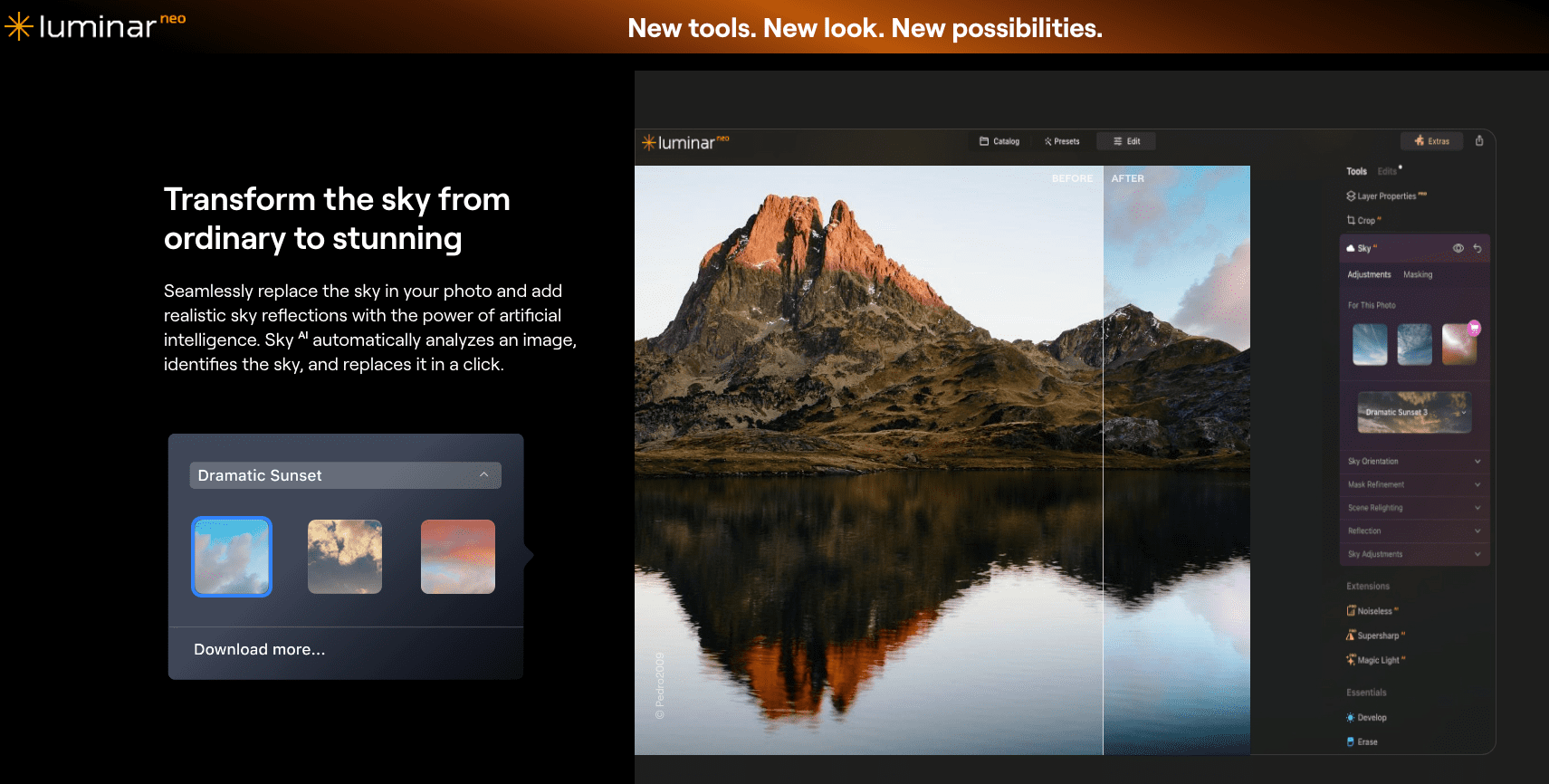
AI is shaking up the photo editing game, and AI photo retouching softwares too! These tools can detect and enhance details in images with almost human-like intuition. All this is done in a fraction of the time it would take manually. AI photo retouching softwares makes editing faster and smarter. If you’re a professional photographer, a hobbyist, or just someone who wants your selfies to look their best then you must give them a try. In this post, I’ll introduce you to the 7 best AI photo retouching softwares. Each one these softwares are designed to enhance your photos in unique ways. Each tool here has made its mark by blending innovative features with AI’s efficiency I’ll walk you through what makes these tools stand out and share a few tips to help you pick the one that’s perfect for you. What is AI Photo Retouching Software? AI photo retouching software are photo editing tools that use artificial intelligence to automatically detect and enhance various aspects of an image. This includes lighting, color balance, and facial details. This technology can drastically reduce the time and effort needed for photo editing. They also deliver professional-quality results. AI photo retouching software can enhance your photos with just a few clicks. This makes it a fantastic option not just for pros but also for beginners. It can even bring out details you may not have noticed on your own! How AI Photo Retouching Software Works So, how does AI actually improve your photos? It all starts with machine learning algorithms that have been trained on thousands of images. They are learning to recognize common patterns and elements in photos. This includes everything from faces to backgrounds, textures, and even imperfections. AI can perform tasks like facial recognition, background editing, and auto-enhancement in seconds. It can soften skin tones, adjust lighting and replace the background in an image with surprising accuracy. Your photos come out looking professional with AI-powered photo editing tools. Why Choose AI for Photo Retouching? Speed and Efficiency One of the main reasons to choose AI photo retouching software is speed. AI can edit your photo faster than you could imagine. Editing that might take hours manually can be done in minutes or even seconds. User-Friendly Interfaces AI editing software doesn’t require advanced technical skills to use it. Many of these tools are beginner-friendly editing tools. They have one-click enhancements and simple sliders that adjust basic elements like brightness, contrast, and saturation. But only experts can smoothly retouch tiny details. Accuracy and Quality AI photo retouching tools can identify basic blemishes, enhance colors, and bring out fine textures that can go unnoticed. You can achieve professional looking photos without extensive manual adjustments. The results of AI photo retouching software are almost accurate. For 100% accurate you can hire a photo retoucher or contact a reputable photo touching company for retouching a large number of images. The 7 Best AI Photo Retouching Software Let’s jump right into the list of my top picks for the best AI photo retouching software out there. Each tool offers something unique. They comes with professional-grade editing to social media-ready touch-ups. I’ll give you a quick breakdown of each one. Also will share what makes it a standout. By the end of this list, you should have a good sense of which one is right for you! 1. Adobe Photoshop with AI Plugins Let’s start with the powerhouse of the bunch, Adobe Photoshop. Known for its extensive editing capabilities, Photoshop has integrated AI through plugins like Adobe Sensei and other third-party options. This software isn’t just about traditional edits. It also has advanced AI editing features like auto-selection, face detection, and skin smoothing tools. Features: Pros and Cons: Best For: Professionals looking for comprehensive and high-quality professional image retouching. If you’re already in the Adobe ecosystem, Photoshop with its AI tools is a fantastic choice. You might want to check out this article on how to use Adobe Sensei for better photo edits to get started. 2. Luminar AI Next up is Luminar AI, a go-to for users looking for one-click simplicity. Luminar is famous for its quick adjustments like sky replacement and its skin enhancer tools, making it ideal for hobbyists or semi-pros who want beautiful images without a deep dive into complex settings. Features: Pros and Cons: Best For: Hobbyists and semi-professionals looking for quick edits with quality results. With its ease of use and effectiveness, Luminar AI is an excellent choice for anyone who wants efficient one-click photo editing. Here’s a guide on how to get the best out of Luminar AI if you’re interested. 3. FaceApp AI For those focused on portrait editing, FaceApp AI is a game-changer. This tool has made a name for itself with specialized portrait features like age effects, background adjustments, and skin tone retouching. It’s a hit among social media fans who want standout selfies. Features: Pros and Cons: Best For: Social media enthusiasts looking for instant, shareable portrait edits. If you’re aiming to keep your photos social media-ready, FaceApp is one of the best options. Take a look at some AI portrait editing ideas from popular FaceApp features to get inspired. 4. Fotor AI Photo Editor Fotor is one of the most accessible and budget-friendly options on this list. Known for its basic retouching and AI-powered image enhancement, Fotor delivers solid editing for those new to photo editing who want reliable results without spending much. Features: Pros and Cons: Best For: Beginners or casual users looking for basic, affordable AI photo tools. If affordability and ease are your priorities, Fotor AI is definitely worth checking out. Here’s more on what you can do with Fotor’s editing features. 5. VSCO with AI Filters For those who love creative, stylized photos, VSCO is a fantastic choice. Known for its array of filters, VSCO now incorporates AI filters to create artistic effects effortlessly. It’s a popular choice among creatives and social media users who want a touch of flair
9 Best Photo Retouching Actions for Professional Results

Looking for the best photo retouching actions for professional-quality results? We will introduce you to the best one to take your photo editing to the next level without spending hours tweaking every detail. If you’re a photographer, designer, or just someone who loves enhancing images then these photo retouching actions are the ultimate time-saver. You can streamline your workflow with these preset editing tools. You will also be able to achieve consistent, high-quality results, and make your photos look like they were touched up by a pro. Let’s dive into the best photo retouching actions that will transform your images with ease. What Are Photo Retouching Actions? Photo retouching actions are pre-recorded editing steps that can be applied to your photos with just one click. Actions allow you to automate the process and achieve consistent results every time instead of going through multiple manual adjustments. In Photoshop these actions can be customized to apply everything from skin smoothing and color correction to sharpening and contrast adjustments. They take the guesswork out of editing and let you focus on the creative side of things. If you’re using Photoshop or Lightroom then you should definitely use actions to fasten your workflow. Photo retouching actions help both seasoned professionals to complete beginners. They help to speed up your editing process while still getting high-quality results. The best photo retouching actions are also very useful for photographers, social media managers, designers, and eCommerce sellers. One of the biggest perks of using photo retouching actions is how consistently polished your photos will look. You don’t have to worry about missing details or spending too much time adjusting minor things. With the best retouching actions, you’ll get that professional, magazine-worthy finish every time. Types of Photo Retouching Actions: There are various photo retouching actions out there. Each of them is great for different types of edits. Here are some of the most popular ones: There’s an action out there that can help you no matter what style or type of photo you’re working on. The 9 Best Photo Retouching Actions for Professional Results Now that you know what to look for, let’s dive into the top picks! Below I will introduce you to the 9 best photo retouching actions for professional results. They will take your photos from average to amazing in just a few clicks. You won’t want to miss this! 1. Skin Retouch Photoshop Actions Kit Skin Retouch Photoshop Actions Kit, Actions and Presets Including: adobe & airbrush is ideal for portrait photography, this action set is all about achieving a flawless, natural look. It smooths skin tones, reduces blemishes, and enhances facial details without compromising skin texture. The results are realistic and polished, perfect for high-quality close-ups and headshots. Compatibility: Adobe Photoshop CS6 and later, including CC versions. Best For: Portrait photographers, headshots, beauty retouching. 2. Free Photoshop Color Actions Free Photoshop Color actions pack enhances vibrancy and depth in colors, giving life to photos that need a bit more energy. It’s excellent for brightening up dull images and adding color contrast, making it ideal for everything from product photography to vibrant portraits. Compatibility: Adobe Photoshop CC and CS6, Lightroom (with plugin). Best For: Social media images, product shots, landscapes, and vivid portraits. 3. High End Retouching Photoshop Actions High End Retouching Photoshop Actions are specifically designed for beauty and fashion photography, this suite sharpens details, balances highlights, and refines skin texture, giving images a polished, high-end look perfect for commercial use. Compatibility: Photoshop CS6 and up, Photoshop CC versions. Best For: Fashion, beauty, and editorial photographers seeking a magazine-quality finish. 4. Shadow & Light Photoshop Action Shadow & Light Photoshop Action can improve light and shadow balance in images, adding a soft, natural depth that’s ideal for outdoor photography and portraits. It helps create a lifelike, professional finish that’s subtle but powerful. Compatibility: Photoshop CC and CS6, works with RAW and JPEG files. Best For: Outdoor portraits, lifestyle photography, natural lighting effects. 5. Free Vintage Matte Photoshop Actions Free Vintage Matte Photoshop Actions are perfect for creating timeless, nostalgic images, these matte presets add soft effects with a vintage look, making them a go-to for lifestyle and editorial shots with a classic feel. Compatibility: Photoshop CC, Photoshop Elements, and Lightroom. Best For: Lifestyle, editorial, and travel photographers who want a timeless look. 6. HDR Action Photoshop Collection HDR Action Photoshop Collection adds a high dynamic range (HDR) effect, boosting contrast and clarity for dramatic results. This action is fantastic for bringing out details in landscape photography and enhancing textures in urban or architectural images. Compatibility: Adobe Photoshop CC and CS6, compatible with both RAW and JPEG files. Best For: Landscape photographers, dramatic and high-contrast images. 7. Teeth Whitening Photo Retouching Actions Teeth whitening Photoshop action are designed for quick portrait touch-ups, this action brightens teeth and enhances eye details, giving close-ups a polished and professional appearance. Compatibility: Adobe Photoshop CC, Lightroom (with plugin). Best For: Portrait photographers, family photos, headshots, and school photos. 8. Glamourana Makeup & Hair Essentials Photoshop Action Collection Glamourana Makeup & Hair Essentials Photoshop Action Collection enhances hair texture and detail, adding definition and a natural sheen that’s perfect for beauty and fashion shots. It gives a subtle but impactful lift to hair, making it look healthy and full. Compatibility: Photoshop CC, compatible with most RAW and JPEG files. Best For: Fashion photographers, beauty retouching, and any shots focusing on hair detail. 9. Pro Sharpen Photoshop Action Sharpen Photoshop Action is a must for product photography, this action pack sharpens fine details and improves overall clarity, helping products and close-up details stand out with a clean, high-definition look. Compatibility: Photoshop CC and CS6, works with RAW and JPEG. Best For: Product photography, close-up detail shots, and any work requiring crisp definition. Key Features to Look for in the Best Photo Retouching Actions Quality of Output: One of the first things you want to check in the best photo retouching actions is the quality of output. You don’t
How to Install and Use Photo Retouching Actions Like a Pro (3 Easy Steps)

Want to know how to use photo retouching actions to take your editing skills to the next level? Then mastering this powerful tool can save you hours of work. If you’re a photographer or designer, then these are the best thing for your entire editing process. You can automate repetitive tasks, apply consistent edits across multiple images, and achieve professional results with just a few clicks with photo retouching actions. In this guide, I’ll walk you through how to install, customize, and use photo retouching actions like a pro. This way you can speed up your workflow and focus more on your creativity. Ready to dive in? Let’s get started! What Are Photo Retouching Actions? Photo retouching actions are recorded sequences of steps that you can apply to an image with a single click. They automate repetitive tasks like color correction, skin smoothing, or sharpening, saving you tons of time. Photoshop actions work by recording every adjustment you make to an image and playing them back in the exact same order on other images. This means you don’t have to manually repeat each step every time you want to apply the same edits. Learning to use photo retouching actions is let you do more at less time. They are the best thing you can have if you are working with batch editing or want consistent results across multiple images. It’s a secret shortcut for every retouching process! The Benefits of Using Actions These Photoshop actions can save you a huge amount of time. You can automate the process instead of repeating the same steps on dozens of images. This means more time spent on the creative side of things and less time on tedious edits. Another major benefit is consistency. Photoshop retouching actions help ensure that all your edits look the same across every image. You’ll get consistent results without any manual guesswork from adjusting skin tones to applying a particular color grade. Example of Use Let me give you a practical example. Imagine you’re a portrait photographer with 100 images to retouch after a photo shoot. Normally, you’d have to go through each image and repeat the same process. This includes smoothing skin, brightening eyes, and adjusting colors. You can set all these steps to run automatically with Photoshop retouching actions. You just press “play,” and Photoshop does the work for you in a fraction of the time. How cool is that? 🤩 Types of Retouching Actions Available for Photoshop 1. Pre-installed Actions Believe it or not, Photoshop actually comes with a handful of pre-installed actions that you can use right away. These are basic actions like sharpening, color correction, and image resizing. These are great for getting started. But the real magic happens when you use custom and downloadable actions for specific types of retouching. This can be portrait editing or fashion photography. Examples: Sharpening, color correction, and image resizing actions. 2. Custom Retouching Actions The beauty of Photoshop is that you can create or download custom actions that are designed for more specific needs. For example, there are skin retouching actions that automatically smooth out blemishes, actions for dodging and burning, and even color grading actions to give your photos a professional look with minimal effort. Where to Find Pre-made ActionsSo, where do you find these magical tools? There are plenty of resources online where you can download Photoshop actions—some are free, and some are premium. Websites like Envato Elements and Creative Market offer high-quality actions that can take your retouching game to the next level. And don’t worry, there are also plenty of free options if you’re just getting started or don’t want to invest in paid actions right away. How to Install Photo Retouching Actions in Photoshop? Installing Photoshop retouching actions is really easy. Even if you’re a total beginner! I’ll walk you through the entire process step by step. So you can get started using actions in no time. Let’s go! Step-by-Step Guide To Install Photo Retouching Actions Step 1: Download the action file (.ATN format). When you download a Photoshop action it will typically come as a file with the .ATN extension. Make sure to save this file in a location where you can easily access it later. Step 2: Open Photoshop and access the Actions panel. Now, open Photoshop and go to the “Window” menu at the top of your screen. Scroll down and click on “Actions” to open the Actions panel. This is where all your installed actions will live. Open the photo you want to edit and select the loaded action in the Actions panel. Then click the Play button at the bottom of the panel. The action will automatically apply the steps. Note: If you’re new to Photoshop then the Actions panel might seem hidden at first. Don’t worry. Just follow the steps above and you’ll find it. Step 3: Load the action into Photoshop. Click on the menu icon in the upper-right corner of the panel once your Actions panel is open. Then select “Load Actions.” Now navigate to the folder where you saved the .ATN file and double-click to load it. That’s it! Your action is now ready to use. Expert Tip: Organizing your actions into folders is a great way to keep things neat. This makes sure you can easily find the actions you need. Trust me, once you start using multiple actions things can get messy if you don’t stay organized. Common Installation Issues Sometimes, things don’t go as smoothly as we’d like. If your action isn’t working then it could be due to compatibility issues with your version of Photoshop. Make sure you’re using an action that’s compatible with your Photoshop version. Also check that the action was downloaded correctly. This is just the beginning! In the next section, I’ll show you how to actually use Photoshop retouching actions to speed up your workflow, achieve professional-quality edits, and make your editing life a whole lot easier. Stay tuned! How to Use Photo Retouching
How To Become An Image Retoucher: The Ultimate Guide

Are you curious to know how to become an image retoucher? Then this is the best guide for you! Image retouchers create those perfect magazine-worthy photos. Photographers capture the initial image but the image retouchers turn those photos into flawless visuals. Every photographer, designer, and brand relies on expert image retouching to showcase their work at its best. That’s why the demand for skilled retouchers keeps growing. In this ultimate guide, I’m going to take you through every step of the process of how to become an image retoucher. What You’ll LearnI will discuss the following essentials: Let’s get started! What Is Image Retouching? Image retouching is the process of taking an existing photo and enhancing it to look better. It involves removing imperfections, adjusting colors, refining details, and ensuring the final image is visually appealing. You’ve probably witnessed the magic of retouching first hand if you’ve ever seen a before-and-after photo. Types of Image Retouching There are several areas where retouching is used. You can specialize in one or more of these: Why Retouching Is Important in Different Industries Fashion, advertising, e-commerce, and social media depend heavily on professional photo retouching. Images wouldn’t have that professional look without it. An unretouched image just doesn’t cut it anymore. That’s why brands are trying to impress customers with high-quality visuals. Skills You Need to Become an Image Retoucher The first thing you need to focus on is building the right skill set if you want to know how to become an image retoucher. Here’s a breakdown of what you’ll need: Attention to Detail Retouching is an art. You need to have an eye for detail. You will need to know when to remove a blemish or how to adjust lighting just enough to make the photo look natural. The goal is always to enhance the image without making it look “overdone.” Mastery of Image Editing Software The tools you use will make all the difference in your work. Most professional image retouchers work with: Understanding Lighting & Color Theory Retouching requires more than just knowing the software. You also need to understand how lighting and color affect a photo. For example, if a photo is too warm or too cool, color correction techniques will help you adjust it to look more natural. Patience & Precision One thing I’ve learned is that retouching takes time. It’s not something you can rush. You’ll often need to make fine adjustments, review your work, and sometimes go back for more revisions. Patience is key! Communication Skills Good communication is essential when you’re freelancing or working for a studio. You’ll need to understand exactly what your client wants. Also you need to be able to explain your creative decisions clearly. You need to know how to ask the right questions. So that both you and your client are happy with the final product. Also Check 👉🏻 How many types of photo retouching services are there How to Learn Image Retouching Now that you know the skills you need, let’s talk about how to actually learn image retouching. Self-Learning vs. Formal Education While there are plenty of formal education options like photography or graphic design degrees, most professional image retouchers are self-taught. If you’re motivated and committed, you can learn everything you need to know through online courses and free tutorials. Best Online Courses for Image Retouching Here are a few excellent online platforms that offer comprehensive courses in retouching: Practice, Practice, Practice! There’s no substitute for hands-on experience. The best way to learn is to start retouching photos right away. Join online communities or forums where you can get feedback from professionals. You could even participate in retouching challenges, which can be both fun and educational. Essential Tools for Image Retouching Now let’s talk about the tools you’ll need to kickstart your retouching career. Hardware Software Resources for Free Stock Photos & Raw Files You’ll need plenty of images to practice on. Here are a few places where you can download free, high-quality images: Now that you’ve got a good understanding of what image retouching involves, the tools you need, and the skills to work on, let’s dive into the actionable steps on how to become a professional image retoucher in the next section. Ready to take the leap? Let’s go! Steps to Become a Professional Image Retoucher Now that you have a solid foundation in image retouching, it’s time to dive into the steps that will take you from beginner to professional. If you’re serious about learning how to become an image retoucher, you’ll want to follow these actionable tips to sharpen your skills and build a successful career. 1. Master the Fundamentals Before you can call yourself an expert, it’s essential to get comfortable with the basics. This is where most aspiring retouchers start, and it’s the foundation you’ll build everything on. Focus on: Pro tip: Practice makes perfect. Spend time experimenting with different photos and techniques to see what works best in different scenarios. Once you’ve mastered these, everything else will start to feel easier. 2. Build Your Portfolio Your portfolio is your golden ticket to landing clients or securing a job. It’s how you showcase your talent and convince people that you can deliver stunning results. So, what should go in your portfolio? Make sure your portfolio is easy to navigate, visually appealing, and professional. If you don’t have clients yet, consider collaborating with photographers or practicing on stock images. 3. Get Certifications or Advanced Training While having a killer portfolio is key, getting certifications from recognized platforms can give you an extra edge, especially if you’re competing with other retouchers. Certification shows that you’ve gone through formal training and know your stuff. Some options include: These certifications can make your resume stand out and reassure potential clients that you’re the real deal. 4. Network in the Photography and Retouching Community To grow as an image retoucher, you’ll need to put yourself out there. The more people in the photography and
7 Best Image Retouching Service Providers for Flawless Results

Are you tired of finding the best image retouching service providers for your photos missing that perfect finishing touch?” I know how frustrating it can be when a photo doesn’t quite hit the mark. Maybe it’s a portrait with a few too many blemishes, or a product photo where the lighting just feels off. The right image retouching service can take an average photo and transform it into a jaw-dropping image. If you’re a business owner looking to enhance product photos then finding the best image retouching service providers will save you time and headaches. Trust me, choosing the right service can make the difference between a good photo and a great one. What is Image Retouching and Why Does It Matter? Image retouching is a process where imperfections in photos are corrected and enhanced to achieve a polished and professional look. It involves everything from removing blemishes, smoothing out skin tones, and correcting colors to fixing lighting issues. It also involves altering backgrounds. So, why does it matter? We live in a world where visual appeal is everything. For professional photographers, it’s a must. Clients expect nothing less than perfection. For e-commerce businesses, product photos are your biggest selling tool. And for social media influencers, polished images are key to growing your online presence. Let me give you a quick example. Imagine a before and after version of a portrait photo. In the “before” image, there might be some minor imperfections—uneven skin tones, shadows in the wrong places, etc. The photo will have smooth skin, balanced lighting, and a professional polish that instantly enhances its quality after retouching. The same goes for product images. Retouching can remove distracting backgrounds, adjust lighting, and make your product look good. What to Look for in the Best Image Retouching Service Providers there are a few things you should keep in mind if you’re ready to find the best image retouching service providers. 1. Quality and Expertise Quality is key. Especially if you’re running an e-commerce business or working in fashion. You need to make sure your photos are polished to perfection. You should look for service providers that specialize in the type of retouching you need. 2. Turnaround Time If you’re working on a client deadline or trying to update your online store, then you want your photos back fast. That’s why you need to check that how fast the service provider can complete your edits. Some offer 24-hour turnarounds and some take a few days. 3. Price Balancing quality with affordability is important. It’s worth paying a little extra for high-end services if you need retouching like detailed skin work or color adjustments. If you’re on a budget then there are plenty of service providers that offer affordable options. 4. Customer Support Good customer support is really important if you need revisions or clarification about the edits. You should choose a service that offers responsive support and is willing to make adjustments until you’re completely satisfied with the results. 7 Best Image Retouching Service Providers for Flawless Results Let’s dive into the top 7 best image retouching service providers for flawless results. 1. Smart Clipping Smart Clipping is an excellent choice if you’re looking for professional image retouching services. They are one of the best image retouching service providers. They specialize in image clipping, image masking, skin smoothing, color correction, car image editing, background removal, Amazon and Ebay image editing. Also, they do portrait retouching, product photo enhancement, and images for e-commerce. Their services are perfect for businesses and individuals. Why They’re Great Smart Clipping handle everything from simple portrait touch-ups to e-commerce photo enhancements. Their image Clipping and color correction services are top-notch. They also ensure your photos look balanced and vibrant. Turnaround Time, Customer Support, and Pricing: Smart Clipping offers quick turnaround times. They deliver typically within 24–48 hours. This can differ depending on the complexity of your project. Their customer support team is responsive and always ready to make revisions if needed. They also ensure you’re happy with the final results. Smart Clipping is highly affordable for the quality of work they deliver in terms of pricing. This makes them an excellent choice if you’re looking for skin retouching or background editing without breaking the bank. 2. FixThePhoto FixThePhoto is widely known for delivering top-tier retouching services for portraits and commercial photos. They offer high-end fashion edits, magazine-quality retouching, and expert-level photo restoration services. They also do personal portraits and professional touch-ups for commercial use. Why They’re Great What really sets FixThePhoto apart is their expertise in high-end photo retouching. They’re perfect for anyone in the fashion industry or anyone who needs flawless images. Their portrait editing capabilities are exceptional. They offer magazine-quality photos with enhanced skin tones, blemish removal, and subtle but impactful facial feature adjustments. Their photo restoration services can bring damaged or old photos back to life too. They make them perfect for sentimental projects or historical preservation. Price and Service Breakdown: FixThePhoto offers premium pricing for their high-end services. But the quality makes it worth every penny. Their turnaround time is typically 2-5 days. This can also change depending on the complexity of the project. Customer reviews praise their attention to detail and the high level of professionalism they bring to every job. 3. Pixelz If you’re an online retailer, Pixelz is the go-to service for e-commerce product photo retouching. They focus on providing quick, high-quality image enhancement designed to boost your sales. With a fast and efficient process, Pixelz is ideal for businesses that need consistent, professional-quality product images at scale. Why They’re Great The standout feature of Pixelz is their dedication to e-commerce photo editing. If you sell products online, your images need to be clean, polished, and professional—Pixelz knows exactly how to deliver that. Their fast delivery is another huge plus, especially if you’re working on tight deadlines for product launches or seasonal promotions. They offer a range of product image enhancement services, including background removal, shadow creation, and color
How many types of photo retouching services are there

Want to discover the various types of photo retouching services that can enhance your images? If you’re a professional photographer, a business owner, or just someone who loves capturing special moments then these services can significantly enhance the photos. Retouching isn’t just about fixing flaws; it’s about transforming images into stunning visual stories. You need to understand the different categories of photo retouching services for achieving your desired results. Each type of service fulfills specific needs. Photo retouching services can bring out the best in every image. You can have highlight details, correct colors, and create a polished finish with the right retouching. In this post, we’ll explore the various types of photo retouching services out there. I will help you determine which one aligns best with your requirements. Let’s dive in and discover how these services can transform your images! What Are Photo Retouching Services? Photo retouching services take a good photo and make it great. On the other hand, photo editing includes cropping, adjusting brightness, or applying a filter. But photo retouching dives deeper. It involves image manipulation, fixing flaws, and enhancing specific details. It also includes adding or removing elements from an image. Retouching can transform an ordinary shot into a professional-grade photo. The difference between basic photo editing and retouching often comes down to the level of attention to detail. Digital enhancement tools like Photoshop retouching allow professionals to correct lighting issues, smooth skin without losing texture, and create a flawless look. These tools are really important in digital photography. Because high-resolution images show every tiny detail. Many businesses rely on these services to ensure their products look their best. The quality of your images can make or break your brand’s reputation. The benefits? Improved image quality, consistent brand representation, and more attractive visuals for social media, websites, and personal albums. Types of Photo Retouching Services 1. Basic Photo Retouching Services Basic photo retouching services include making small, but impactful adjustments to improve an image. These are the simple tweaks that most photos can benefit from: Who typically needs these services? Basic photo editing is a great place to start if you’re a social media influencer, a beginner photographer, or just want to improve your personal photos. It’s also perfect for creating a polished look without going too far. Sometimes, less is more, right? 2. Advanced Photo Retouching Services If you need something more extensive than basic touch-ups then advanced photo retouching services are what you’re looking for. This type of retouching goes beyond surface-level fixes. Experts work on the fine details that really make an image stand out. Here’s what advanced retouching typically includes: Who benefits from advanced retouching? It’s used by professional photographers, businesses, and high-end clients who want to ensure every photo is absolutely perfect. High-end retouching jobs are perfect for fashion magazines or big ad campaigns. 3. Portrait Retouching Services Portrait retouching is a specialized form of photo retouching focused on enhancing facial features and personal aesthetics. It’s all about making the subject look their best while still looking natural. Whether it’s for a professional headshot, a family photo, or a personal portrait, the goal is to highlight the subject’s best features. Common portrait retouching techniques include: Why is portrait retouching so important? Whether it’s a family portrait that’ll hang on the wall for years or a professional headshot for LinkedIn, portrait retouching makes sure you’re putting your best face forward. It’s especially important for professionals like actors, business executives, and influencers who rely on their image. 4 Fashion & Beauty Retouching Services The fashion industry practically thrives on retouching services. Fashion photos need to look flawless and that’s where fashion & beauty retouching comes in. These services focus on perfecting every aspect of the image. It includes skin to clothing to accessories. Common techniques in Fashion and beauty retouching services include: Who needs fashion retouching? Models, fashion photographers, and beauty brands are the main clients of fashion and beauty retouching. Also, anyone working in the beauty or fashion industry can benefit from this high-end service. It’s all about making sure the final product looks stunning and sells the lifestyle or product you’re trying to promote. 5. Product Photo Retouching Services Photos are everything when you are selling products online. People can’t touch or try on the product. That’s why they rely heavily on the visuals. This is where product photo retouching services come in. They ensure that your product looks clean, sharp, and professional. Here’s what product retouching services include: Why do businesses need product retouching? A polished product photo can make a sale. Ecommerce retouching is suitable for Amazon, Etsy, or your own online store. 6. Jewelry Retouching Services Jewelry photo retouching is all about precision and making sure the pieces shine. Jewelry photos need extra care because of how light interacts with metals and gemstones. You want your jewelry to appear as dazzling online as it does in real life. This is why jewelry photo editing is a must. Why do jewelry photos need special attention? Jewelry is often small, reflective, and detailed. Without the right editing, metals can look dull or gemstones can lose their sparkle. Jewelry retouching services handle these issues by focusing on: This type of service is important for jewelry stores, e-commerce brands, and high-end retailers. After all, jewelry photos has to do all the convincing when shopping online. 7. Wedding Photo Retouching Services Weddings are all about capturing memories. The wedding photos should reflect the love, joy, and emotion of that special day. But wedding photos also come with unique challenges. There are light conditions to capturing candid moments. That’s where wedding photo retouching services come in. It make sure every image looks as timeless as the day itself. Why do wedding photos need a special touch? Wedding photography can be tricky. There are all the different settings, lighting, and atmosphere. Wedding photo editing helps overcome these challenges with techniques like: Couples choose wedding photo retouching services because they want their memories to