

Best programs for color correcting images can help you fix poorly lit photos. They are great for adjusting tones to perfection, or just making your shots pop. That’s why finding the right software is essential.
Color correction isn’t just for professionals anymore. It’s for anyone who wants their images to stand out.
In this post, I’ll guide you through the 10 best programs for color correcting images. These softwares are trusted by experts and loved by creators worldwide.
I will review user-friendly tools for beginners to advanced software for seasoned photographers.
This Post is really useful for:
- Professional photographers who need high-quality edits for clients.
- Hobbyists who want their photos to look polished.
- Content creators who want visuals for social media or websites.
- Anyone who loves experimenting with photos.
Let’s make your photos look their absolute best!
What is Color Correction and Why is it Essential?
Color correction is the process of fixing and enhancing a photo’s colors. So that it looks natural and visually appealing.
It includes tweaking tones, brightness, contrast, and hues to match the scene as it appeared in real life. You can also do the color correction as you like it to appear.
For example, you might adjust the white balance to fix a photo that looks too warm (yellowish) or too cool (bluish). You can also brighten shadowy areas or make the colors pop to grab attention.
Common Use Cases
- Enhancing Portraits
Nobody wants skin tones that look unnatural or washed out. Color correction can help you get realistic skin tones with highlighting details.
- Correcting Underexposed or Overexposed Images
Photos taken in tricky lighting conditions often need adjustments. You can correct if it’s too dark or overly bright. Good photo editing software can balance the exposure to make the image look perfect.
- Matching Brand Colors in Product Photos
If you’re selling products online then you need accurate colors for your products. Because buyers expect the product they see in a photo to match what arrives at their doorstep. Color correction ensures your photos are true to life too.
Difference Between Color Correction and Color Grading
People often confuse color correction with color grading. But they’re different.
- Color Correction focuses on fixing issues like exposure, white balance, and color tones to make an image look natural.
- Color Grading adds an artistic touch. Such as giving your photo a cinematic vibe or creating a specific mood through colors.
Think of color correction as the foundation and color grading as the creative flair on top.
Now you understand the basics of color correction. It’s time to dive into the best image color correction softwares!
In the next section, I’ll break down the 10 best programs for color correcting images by experts.
Read more about how to color correct photos and explore color grading techniques for beginners.
The 10 Best Programs for Color Correcting Images by Experts
Let’s talk about the image editing tools that can help you achieve pro-level photo edits. Choosing the best programs for color correcting images isn’t just about popularity. It’s also about what works for your style and needs.
Here’s how I picked the top 10 programs for color correcting images:
- Expert reviews: These programs come highly recommended by photographers and editors.
- Features: I focused on tools with powerful color correction capabilities.
- Ease of use: You’ll find something that fits whether you’re a beginner or a pro.
- Pricing: Options range from premium to budget-friendly.
Now, let’s dive into the top tools and what makes them great!
1. Adobe Photoshop
Why It’s Popular:
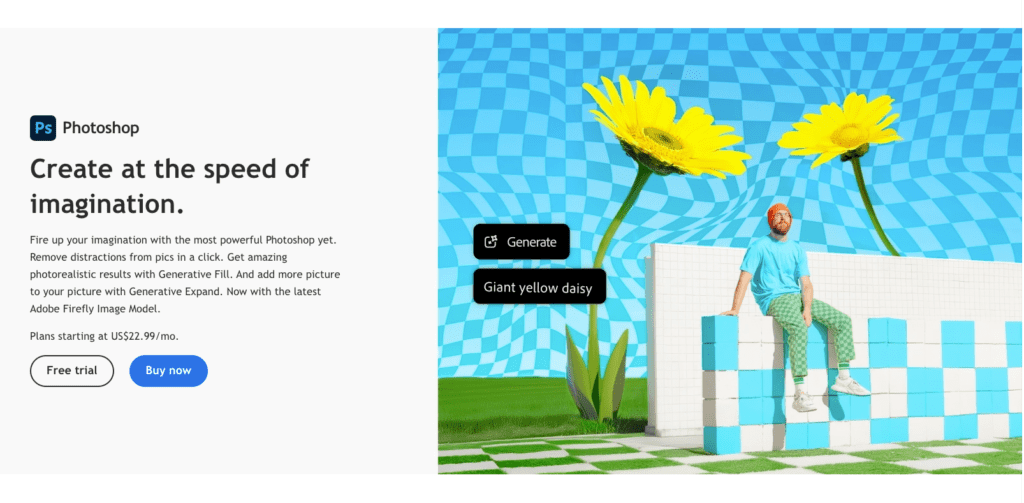
Adobe Photoshop is the first tool that comes to mind for photo editing. It’s an industry-standard program with advanced tools for precise color correction.
Best Features:
- Curves and Levels for adjusting brightness and contrast.
- Selective Color Adjustments for tweaking specific color ranges.
- AI-powered tools like Neural Filters for faster edits.
Ideal For:
Professional photographers and advanced users who want maximum control over their edits.
Tip:
Want to learn how to use Photoshop for color correction? Check out the video below:
Color Correction with Easy “4-Point” Technique! – Photoshop Tutorial
2. Lightroom Classic
Why It’s Loved by Photographers:
Lightroom Classic makes the entire editing workflow smooth and efficient. This is great for those working with large batches of photos.
Best Features:
- Presets to quickly apply consistent color corrections.
- Tone Curves for detailed adjustments to highlights, shadows, and midtones.
- Batch editing to save time when working on similar images.
Ideal For:
Photographers who need to edit large volumes of images while maintaining quality.
Related Post:
Learn more about Lightroom tips for beginners to enhance your editing skills.
3. Capture One Pro
Why It Stands Out:
Capture One Pro is known for its exceptional RAW image processing. It is also a favorite among professionals.
Best Features:
- Advanced Color Editor for fine-tuning hues and saturation.
- Color Grading tools for creative adjustments.
- Layers and masks for non-destructive edits.
Ideal For:
High-end fashion and product photographers who need detailed control.
Fun Fact:
Capture One Pro often gets compared to Lightroom. Here’s a comparison guide.
4. DxO PhotoLab
Why Experts Recommend It:
DxO PhotoLab takes color correction to the next level with AI-powered tools. It also analyzes your image and suggests improvements.
Best Features:
- U Point technology for precise local adjustments.
- Smart Lighting to balance exposure.
- Lens corrections tailored to specific camera models.
Ideal For:
Landscape and portrait photographers looking for detailed and natural corrections.
Pro Tip:
If you’re new to DxO PhotoLab then start with their beginner’s guide for quick tips.
5. Affinity Photo
Why It’s a Budget-Friendly Option:
Affinity Photo offers professional-grade tools at a one-time price. It’s a great alternative to subscription-based software.
Best Features:
- Real-time previews for instant feedback on edits.
- Non-destructive layers to keep your original image intact.
- A wide range of color correction tools. It also has white balance and HSL adjustments.
Ideal For:
Hobbyists and designers who want powerful editing tools without recurring costs.
Related Resource:
Curious about other affordable tools? Here’s a list of budget-friendly photo editing software.
Want to know what’s next? Keep reading to explore the other tools on the list that are just as amazing for color correcting your images!
6. Skylum Luminar Neo
Why It’s Trending:
Skylum Luminar Neo has quickly become a favorite among creative photographers. Because it has lot of AI-driven features.
It simplifies complex tasks like color correction. This photo editing software also offer creative options like mood adjustments and sky replacements.
Best Features:
- AI-powered color enhancement to automatically adjust tones and vibrancy.
- Sky Replacement for dramatic transformations with just a few clicks.
- Mood Adjustments that let you fine-tune colors and add unique lighting effects.
Ideal For:
Creative photographers who want to experiment with bold edits or save time on repetitive tasks.
Fun Fact:
Luminar Neo is often compared to Lightroom for its AI capabilities. Here’s a detailed comparison to help you decide which fits your needs.
7. GIMP (GNU Image Manipulation Program)
Why It’s Great for Beginners:
GIMP is an open-source program,.This a completely free to use program for color correcting images.
It’s not as advanced as some paid tools. But it offers enough features for hobbyists and students to start learning color correction.
Best Features:
- Basic tools for adjusting brightness, contrast, and saturation.
- A library of plugins to expand its editing capabilities.
- Layer support for non-destructive editing.
Ideal For:
Hobbyists and students who want a free and reliable program for basic color correction.
Pro Tip:
GIMP can feel overwhelming at first. Check out this GIMP beginner’s guide to get started.
8. ON1 Photo RAW
Why Experts Use It:
ON1 Photo RAW is loved for its non-destructive editing and AI-powered features. It’s an all-in-one solution for photographers who want to edit photos without compromising quality.
Best Features:
- AI-powered local adjustments for targeted edits.
- Non-destructive workflow to preserve the original image.
- A built-in preset library for quick edits.
Ideal For:
Travel and wedding photographers who need efficient tools for color correction on the go.
Fun Resource:
Read more about ON1 Photo RAW’s key features and why it’s gaining popularity.
9. Corel AfterShot Pro
Why It’s Underrated:
Corel AfterShot Pro is a budget-friendly alternative to many high-end RAW editing programs. It offers advanced color tools and a user-friendly interface that makes it accessible to beginners.
Best Features:
- Layer-based editing for non-destructive corrections.
- Advanced color tools to adjust hues, saturation, and luminance.
- Affordable pricing without compromising on features.
Ideal For:
Entry-level photographers who want professional results without spending too much.
Related Read:
Here’s a detailed review of Corel AfterShot Pro for more insights.
10. Canva Pro
Why It’s Accessible:
Canva Pro might not be the first name that comes to mind for color correction. But its simple tools are perfect for quick tweaks. It’s really useful for creating visuals for social media and marketing campaigns.
Best Features:
- Presets that apply consistent adjustments across multiple images.
- An intuitive drag-and-drop interface for fast editing.
- Additional design tools to create complete graphics with your edited images.
Ideal For:
Social media managers and small business owners who need a straightforward way to polish photos.
Quick Tip:
If you’re interested in learning more then check out this Canva Pro tutorial to explore its features:
FULL CANVA TUTORIAL 2024 | How To Use Canva For BEGINNERS!
That wraps up five more amazing tools for color correction! Each of these programs caters to different needs and budgets, so you’re sure to find one that fits your style.
Up next, let’s sum up why these tools stand out and how to choose the best one for your projects!
Comparison of the Best Programs for Color Correcting Images
Comparing features side-by-side is a huge time-saver for finding the best programs for color correcting images. Below is a quick comparison to help you make an informed decision.
| Program | Pricing | Platform Compatibility | Key Features | Best For |
| Adobe Photoshop | Subscription | Windows, Mac | Advanced color tools, AI-powered features | Professionals and advanced users |
| Adobe Lightroom Classic | Subscription | Windows, Mac | Batch editing, presets, seamless workflow | Photo editors with large projects |
| Capture One Pro | Subscription/One-Time | Windows, Mac | Exceptional RAW processing, color grading tools | High-end fashion and product photos |
| DxO PhotoLab | Subscription | Windows, Mac | U Point technology, AI-driven corrections | Portrait and landscape photography |
| Affinity Photo | One-Time Payment | Windows, Mac | Real-time edits, non-destructive workflow | Budget-conscious designers |
| Skylum Luminar Neo | Subscription/One-Time | Windows, Mac | AI enhancements, sky replacement | Creative photographers |
| GIMP | Free | Windows, Mac, Linux | Basic tools, plugins for advanced edits | Beginners and hobbyists |
| ON1 Photo RAW | Subscription | Windows, Mac | Local adjustments, non-destructive workflow | Travel and wedding photographers |
| Corel AfterShot Pro | One-Time Payment | Windows, Mac | Layer editing, RAW processing | Entry-level photographers |
| Canva Pro | Subscription | Web, Mobile | Intuitive presets, drag-and-drop editing | Social media managers |
Key Features to Look for in Color Correction Software
Choosing the best programs for color correcting images is easier when you know what to look for. Here’s what matters:
- User-Friendly Interface
The program should make it easy to adjust colors. Even if you’re new to photo editing. You need to look for tools with intuitive layouts and simple workflows.
- Advanced Features for Experts
Check for features like histograms, selective adjustments, and gradient mapping if you’re experienced. Programs like Photoshop and Capture One Pro are best in these areas.
- Speed and Efficiency
Batch processing options save time. This is very useful for large projects. Lightroom Classic and ON1 Photo RAW are great choices for this.
- AI-Powered Tools
AI features can handle repetitive tasks like tone adjustments or exposure corrections. Skylum Luminar Neo and DxO PhotoLab offer excellent AI-driven tools.
- Compatibility
Make sure the program works on your preferred platform. For example, Canva Pro is great for mobile and GIMP is available across various systems.
Tips for Choosing the Right Color Correction Software
Picking the best programs for color correcting images depends on your requirements. Here’s how to decide:
- Understand Your Needs
Are you a professional photographer, or do you just need something for casual edits? If you’re working with RAW files you should use photo editing software like Capture One Pro or Corel AfterShot Pro.
- Try Before You Buy
Many programs offer free trials. Test a few to see which one feels the most intuitive. For example, Adobe Lightroom Classic has a free trial that lets you explore its features.
- Budget-Friendly Options
If you’re on a budget then try free programs like GIMP. You can also try affordable one-time payment tools like Affinity Photo.
- Community Support
Programs like Photoshop and GIMP have large user communities. This means more tutorials and troubleshooting resources for you to access.
Expert Advice for Effective Color Correction
Even with the best programs for color correcting images, using them effectively is key. Here are some expert tips:
- Master the Basics
Start with white balance, exposure, and contrast adjustments. These simple tweaks make a big difference in your images.
- Presets
Presets save time and provide consistency. Lightroom and Canva Pro are great for applying presets to multiple images quickly.
- Utilize AI Tools
AI tools help streamline repetitive edits. For example, Luminar Neo can automatically enhance colors and adjust lighting.
- Avoid Over-Editing
Less is more when it comes to color correction. Keep your images looking natural by making subtle changes instead of dramatic ones.
Conclusion
Choosing the right program can make color correction easy and enjoyable. I covered the best programs for color correcting image for beginner to seasoned professional. Hope you find the suitable tools that fit your style and budget.
If you’ve tried any of these programs, I’d love to hear about your experience. Leave a comment below. Happy editing!